
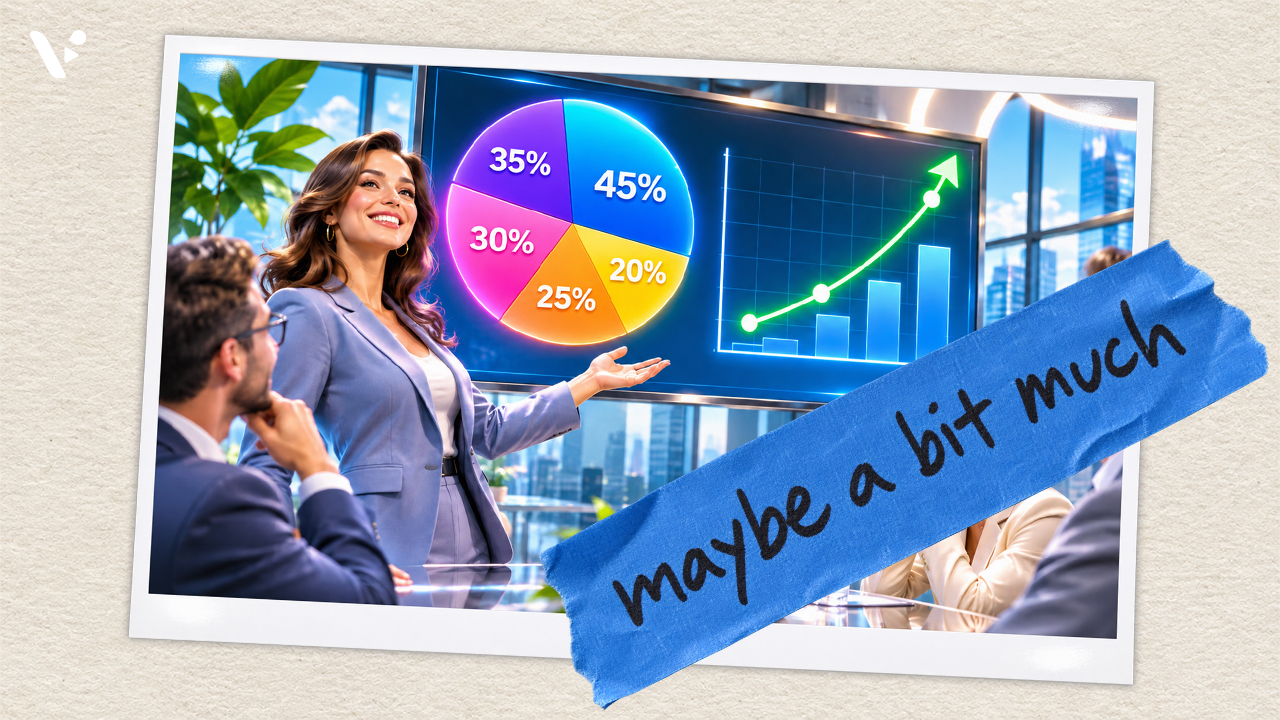
Quick Answer: You shouldn’t generate every video clip with AI, especially when viewers need an accurate representation of a real product, place, process, or dataset. Generative AI can create convincing footage without faithfully reproducing the details that make that footage useful or trustworthy. Screen recordings, real footage, conventional 3D animation, and code-based graphics often provide greater precision and control, sometimes with less work. Choose how to make each scene based on what viewers need to see. AI can still help with scripting, editing, or finding footage.
When Your Video Needs to Show What’s Actually There
Modern AI video models can generate remarkably convincing footage. But there’s a difference between creating something that looks realistic and accurately depicting something that exists in the real world. A fictional office scene only needs to look like a plausible office. A video showing a prospective employee around your company’s actual office needs to represent the space accurately. That distinction becomes especially important when people are using your videos to learn how something works, understand a product, or make a decision.
1. Software Interfaces and UI/UX Demonstrations
If you’re showing someone how to use your software, why would you generate an approximation of its interface? Even a small difference can make a tutorial confusing. An AI model might change a button’s location, invent a menu item, or alter the order of steps. Someone following the tutorial could end up searching for a feature that doesn’t exist. Marketing videos face a similar problem: A product demonstration that depicts features or interactions differently from the actual software can create unrealistic expectations.
Fortunately, recording a real interface is straightforward. Visla’s screen recording tools, for example, let you capture actual workflows and use AI to help polish the recording. If you’re demonstrating a hypothetical interface, you have another option: Ask ChatGPT to build an HTML, CSS, and JavaScript prototype, then animate or record it. You can create an attractive presentation while retaining direct control over the interface’s appearance and behavior. Just make clear when a prototype represents a proposed design rather than an existing feature.
2. Highly Technical Illustrations and Exploded Views
Consider an exploded-view animation of an airplane engine or a piece of agricultural machinery. Every component needs to be in the correct location, with the appropriate dimensions and relationships to other parts. A generative model might create an impressive animation that looks mechanically plausible but depicts something that couldn’t actually work.
For these projects, conventional 3D animation is generally a better choice. Artists can work from CAD files, engineering drawings, and technical specifications, with specialists reviewing the results. Individual components can be positioned, animated, and corrected without rebuilding everything. The resulting animation still needs validation, but its underlying structure is much easier to inspect.
3. Real Places, Buildings, and Physical Products
The same principle applies when you’re trying to recreate something specific. A real estate agent showing off a home needs to represent its actual floor plan, finishes, and features. A company filming an office tour shouldn’t invent rooms or change the layout. A product advertisement shouldn’t depict buttons, dimensions, or accessories that differ from what customers will receive.
You could theoretically construct an extremely detailed 3D model of your office and use it to guide AI generation. But if the office already exists and you can access it, filming the real space may be considerably easier. For physical products, approved 3D models or actual product photography offer more dependable alternatives. Generated visuals can still provide imaginative backgrounds and settings without changing the product itself.
4. Physical Procedures and Safety-Critical Training
An instructional video needs to demonstrate the correct actions, not simply something that resembles them. Imagine a training video showing how to operate a forklift, assemble machinery, or perform a laboratory procedure. Hand placement, the sequence of actions, and the movement of objects can all matter. In the U.S., OSHA’s forklift operator training standard requires formal instruction, hands-on training, and an evaluation of the operator’s performance in the workplace.
In the 2026 OSCBench study, researchers tested six text-to-video models on tasks drawn from cooking tutorials. The models struggled to show how objects changed during an action, especially in unfamiliar scenarios or when tasks combined actions and objects in new ways.
That doesn’t mean AI has no place in technical training. It can help prepare scripts, organize lessons, or edit demonstrations. But when teaching physical procedures, recording a qualified demonstrator or using a technically reviewed animation provides a more dependable starting point.
5. Testimonials, Real Events, and Documentary Footage
Sometimes accuracy is about whether something actually happened. A fictional customer-service scenario is perfectly reasonable material for AI video generation. A supposed customer testimonial describing a fictional experience is another matter entirely.
If viewers believe they’re watching an actual customer describe their experience, presenting an invented person and story as authentic can mislead them. The same problem arises when synthetic footage of a crowded conference or an enthusiastic audience is presented as documentation of a real event.
There’s a legal consideration here, too. The Federal Trade Commission’s guidance explains that AI avatars aren’t categorically prohibited in advertising, but fake or false testimonials can violate its rules.
Use real footage to document events and experiences. When a dramatization could be mistaken for footage of a real event or person, clearly identify it as fictional.
6. Product Performance and Before-and-After Videos
Suppose you’re advertising a cleaning product. Generating a video of a stained countertop becoming spotless might produce a compelling visual, but what does it tell viewers about how the actual product performs?
A generated result could exaggerate effectiveness, imply a faster process, or depict an outcome that hasn’t been demonstrated. That’s particularly concerning for products whose performance influences purchasing or safety decisions.
In the U.S., the Federal Trade Commission says product demonstrations must truthfully show what a product can do. The agency considers the overall impression an ad creates, including its visuals, and expects advertisers to substantiate express and implied claims about product performance. Review what viewers are likely to take away from the demonstration, even when you label it as AI-generated.
For these situations, use representative product demonstrations and evidence that supports the claims being made. Generated animation can still explain a product’s mechanism or illustrate a concept, provided it doesn’t misrepresent actual performance.
7. Charts, Data Visualizations, and Precise Graphics
The animation uses sample data. It shows 10 projects completed in 2023, 20 in 2024, 30 in 2025, and 40 in 2026.
View the HTML, CSS, and JavaScript for this chart
<!DOCTYPE html>
<html lang="en">
<head>
<meta charset="utf-8">
<meta name="viewport" content="width=device-width, initial-scale=1">
<title>Animated chart demo | Projects completed</title>
<style>
:root { color-scheme: light; --ink:#182238; --muted:#657189; --red:#e6394f; --soft:#f5f7fb; }
* { box-sizing: border-box; }
body { margin:0; min-height:100vh; display:flex; flex-direction:column; align-items:center; justify-content:center; gap:20px; padding:24px; font-family:Inter,system-ui,-apple-system,BlinkMacSystemFont,"Segoe UI",Arial,sans-serif; background:#ecf0f5; color:var(--ink); }
.stage { width:min(960px,100%); aspect-ratio:16/9; background:white; border-radius:20px; overflow:hidden; box-shadow:0 22px 70px #17223b15; }
svg { display:block; width:100%; height:100%; }
.controls { display:flex; flex-wrap:wrap; align-items:center; justify-content:center; gap:14px; }
button { appearance:none; background:var(--ink); color:white; border:0; border-radius:10px; font:600 14px/1.2 Inter,system-ui,sans-serif; padding:12px 18px; cursor:pointer; min-height:44px; }
button:hover { background:#344460; }
button:focus-visible, summary:focus-visible { outline:3px solid #da394f; outline-offset:3px; }
.note { color:#59667c; font-size:13px; }
details { width:min(960px,100%); font-size:13px; color:#46546c; }
summary { cursor:pointer; width:max-content; padding:4px; }
table { border-collapse:collapse; margin-top:8px; background:white; border-radius:8px; overflow:hidden; }
th,td { text-align:left; border-bottom:1px solid #e0e5ed; padding:8px 20px 8px 12px; }
@media (prefers-reduced-motion:reduce) { *,*::before,*::after { scroll-behavior:auto!important; } }
</style>
</head>
<body>
<div class="stage" aria-label="Animated example bar chart showing projects completed: 10 in 2023, 20 in 2024, 30 in 2025 and 40 in 2026.">
<svg viewBox="0 0 960 540" xmlns="http://www.w3.org/2000/svg" role="img" aria-labelledby="chart-title chart-description">
<title id="chart-title">Projects completed by year</title>
<desc id="chart-description">Illustrative data only. Four bars animate to the exact values: 2023 is 10, 2024 is 20, 2025 is 30, and 2026 is 40.</desc>
<defs>
<linearGradient id="redBar" x1="0" y1="0" x2="0" y2="1"><stop offset="0" stop-color="#fa5261"/><stop offset="1" stop-color="#e42e4a"/></linearGradient>
<linearGradient id="accentBar" x1="0" y1="0" x2="0" y2="1"><stop offset="0" stop-color="#e42e4a"/><stop offset="1" stop-color="#bd1c39"/></linearGradient>
</defs>
<rect x="0" y="0" width="960" height="540" fill="#ffffff"/>
<circle cx="65" cy="53" r="6" fill="#e6394f"/>
<text x="83" y="58" font-size="12.5" letter-spacing="2.5" font-weight="800" fill="#e6394f">BUILT WITH CODE</text>
<rect x="769" y="34" width="132" height="32" rx="16" fill="#fff0f2"/>
<text x="835" y="55" font-size="12" text-anchor="middle" font-weight="700" fill="#bd2943">SAMPLE DATA</text>
<text x="58" y="116" font-size="38" font-weight="750" letter-spacing="-1.2" fill="#182238">Projects completed</text>
<text x="59" y="148" font-size="16" fill="#64728a">A four-year example with exact, editable values</text>
<g stroke="#e8edf3" stroke-width="1.5">
<line x1="135" x2="898" y1="195" y2="195"/>
<line x1="135" x2="898" y1="255" y2="255"/>
<line x1="135" x2="898" y1="315" y2="315"/>
<line x1="135" x2="898" y1="375" y2="375"/>
<line x1="135" x2="898" y1="435" y2="435"/>
</g>
<g fill="#758198" font-size="14" text-anchor="end">
<text x="115" y="200">40</text><text x="115" y="260">30</text><text x="115" y="320">20</text><text x="115" y="380">10</text><text x="115" y="440">0</text>
</g>
<g id="barLayer">
<rect id="bar0" x="200" y="435" width="112" height="0" rx="9" fill="url(#redBar)"/>
<rect id="bar1" x="391" y="435" width="112" height="0" rx="9" fill="url(#redBar)"/>
<rect id="bar2" x="582" y="435" width="112" height="0" rx="9" fill="url(#redBar)"/>
<rect id="bar3" x="773" y="435" width="112" height="0" rx="9" fill="url(#accentBar)"/>
</g>
<g fill="#182238" font-size="23" font-weight="800" text-anchor="middle">
<text id="value0" x="256" y="422" opacity="0">0</text>
<text id="value1" x="447" y="422" opacity="0">0</text>
<text id="value2" x="638" y="422" opacity="0">0</text>
<text id="value3" x="829" y="422" opacity="0">0</text>
</g>
<g fill="#3f4b62" font-size="17" font-weight="650" text-anchor="middle">
<text x="256" y="471">2023</text><text x="447" y="471">2024</text><text x="638" y="471">2025</text><text x="829" y="471">2026</text>
</g>
<line x1="58" x2="902" y1="496" y2="496" stroke="#edf0f5"/>
<text x="58" y="521" font-size="12.5" fill="#79869d">Illustrative numbers: 10, 20, 30, 40. No real-world claims.</text>
<text x="901" y="521" font-size="12.5" fill="#79869d" text-anchor="end">HTML · CSS · JavaScript</text>
</svg>
</div>
<div class="controls">
<button type="button" id="replay">↻ Replay animation</button>
<span class="note">No video-generation model, external scripts, or chart library.</span>
</div>
<details>
<summary>View the underlying data</summary>
<table aria-label="Values used to draw the chart"><thead><tr><th>Year</th><th>Projects completed</th></tr></thead><tbody><tr><td>2023</td><td>10</td></tr><tr><td>2024</td><td>20</td></tr><tr><td>2025</td><td>30</td></tr><tr><td>2026</td><td>40</td></tr></tbody></table>
</details>
<script>
(() => {
// Edit these four values to change the chart. The visible bars and labels
// are always computed from the same data, never generated as pixels by AI.
const values = [10, 20, 30, 40];
const duration = 1.25; // seconds per bar
const stagger = 0.22; // seconds between bars
const baseline = 435;
const scale = 6; // pixels per project (40 -> 240 px)
const bars = values.map((_, i) => document.getElementById(`bar${i}`));
const labels = values.map((_, i) => document.getElementById(`value${i}`));
const ease = x => 1 - Math.pow(1 - x, 3);
let frame = 0;
let start = 0;
function renderAt(t) {
values.forEach((value, i) => {
const progress = Math.min(1, Math.max(0, (t - i * stagger) / duration));
const fraction = ease(progress);
const height = value * scale * fraction;
const top = baseline - height;
bars[i].setAttribute('y', top.toFixed(2));
bars[i].setAttribute('height', height.toFixed(2));
labels[i].setAttribute('y', (top - 13).toFixed(2));
labels[i].textContent = String(Math.round(value * fraction));
labels[i].setAttribute('opacity', String(Math.min(1, progress * 6)));
});
}
window.renderAt = renderAt; // Deterministic frame rendering for code-only video export.
const reducedMotion = window.matchMedia('(prefers-reduced-motion: reduce)');
function tick(now) {
if (!start) start = now;
const t = (now - start) / 1000;
renderAt(t);
if (t < duration + stagger * (values.length - 1)) frame = requestAnimationFrame(tick);
}
function replay() {
cancelAnimationFrame(frame);
start = 0;
renderAt(0);
if (reducedMotion.matches) renderAt(10);
else frame = requestAnimationFrame(tick);
}
document.getElementById('replay').addEventListener('click', replay);
document.addEventListener('visibilitychange', () => { if (document.hidden) cancelAnimationFrame(frame); });
replay();
})();
</script>
</body>
</html>Charts might be one of the least sensible things to create with a generative video model when the underlying data is available. Imagine generating an animated bar chart showing revenue growth across four business units. The model needs to reproduce the correct values, proportions, labels, and changes over time. A chart that looks attractive but misrepresents the data fails at its most basic job: communicating information accurately.
You can ask an AI assistant to write an animated chart in Python or in HTML, CSS, and JavaScript. Give it the values it needs from a sample dataset or a spreadsheet you’re authorized to share. You can specify the values, adjust the layout, control the animation, and inspect the underlying code. If a number changes, you can update it directly without regenerating an entire video clip.
Of course, AI-generated code and calculations still need checking. But you have something inspectable and editable, with numerical values that can be verified against the original data. That makes much more sense than asking a generative video model to approximate a chart.
Generating Video Isn’t Always the Fastest or Most Controllable Option
One of generative AI video’s biggest selling points is speed. You can describe a scene and potentially receive a usable clip without hiring actors, organizing a shoot, or building an animation from scratch. That’s a genuine advantage, particularly when the subject is fictional or difficult to film.
But generation time and production time aren’t the same thing. You still need to inspect the result, identify problems, make corrections, and approve the footage. When a scene has many precise requirements, you might spend more time prompting and regenerating than you would producing it through another method.
Control also matters. Suppose an animated chart needs a different axis label. With a code-based animation, you can edit that specific label. With generative video, asking the model to change one detail may require another generation, and other elements might change unexpectedly.
More sophisticated tools improve this process, but different kinds of creative control still matter. Visla’s Scenario-Based Video, for example, lets creators develop dialogue-driven videos with consistent characters, voices, and environments. They can review scripts and storyboards, adjust scene direction, and generate motion for individual scenes. That’s particularly useful for a workplace training conversation where the dialogue and interaction are central to the lesson.
However, control over a script, characters, and camera direction doesn’t guarantee an exact recreation of a particular machine or building. More detailed instructions and reference materials can improve results, but they don’t necessarily offer the same precision as directly modifying a controlled 3D model.
None of this means conventional production is always faster. Creating a complex technical animation can require substantial effort. The sensible comparison is how much work each method requires to produce an acceptable final result, including corrections and approval.
Where AI-Generated Video Makes Sense
Generative video becomes especially useful when you want to create something new rather than reproduce something specific.
Fictional conversations are an obvious example. A training team can generate a workplace conflict scenario without scheduling actors or renting a location. For more on matching the format to the skill, see our guide to choosing between screen recordings and scenario-based training videos. Marketers can create imaginative campaign visuals, unusual environments, or conceptual illustrations that would otherwise require elaborate production.
A video explaining cloud computing might use generated imagery to visualize information moving through an abstract digital environment. The scene doesn’t have to reproduce a particular physical location or mechanism. It needs to communicate the intended concept clearly.
Creators still need to review the footage. Characters should behave consistently, actions should make sense, and the visuals should support the message. But there’s considerably more room for creative interpretation when the video isn’t claiming to show an exact real-world subject.
Build Videos With the Right Combination of Tools
Most business videos don’t need to commit to a single method of producing footage.
Imagine creating a product explainer for a new software feature. You could record the actual interface to demonstrate how it works, use licensed stock footage to show the workplace problem it addresses, and generate a short conceptual animation to illustrate the broader benefit. If the video includes performance data, you could create an animated chart from the verified figures.
You can assemble all of these elements in the same project. With Visla, for example, you can use AI to recommend footage from stock libraries or your company’s Private Stock, then combine those visuals with original recordings and other media in the Scene-Based Editor.
The production decision should come down to what each scene needs to communicate. If viewers need to see something real, start with an accurate source. If they need exact data or technical relationships, use tools that let you control and verify those details. If the scene calls for an imagined situation, an abstract concept, or a creative visual, generative AI may be the most useful choice.
You don’t need to generate every frame to make an AI-assisted video. And you shouldn’t have to give up accuracy or control simply to say that you did.

May Horiuchi
May is a Content Specialist and AI Expert for Visla. She is an in-house expert on anything Visla and loves testing out different AI tools to figure out which ones are actually helpful and useful for content creators, businesses, and organizations.