
Quick Answer
OpenAI has released GPT-5.3 Instant, a faster ChatGPT model designed to provide clearer answers, fewer unnecessary refusals, and improved factual accuracy. Early reports suggest the model reduces hallucinations and produces more natural responses. However, some benchmark results show mixed safety changes, and many users are already speculating about what this release means for the upcoming GPT-5.3 Thinking model.
What Is GPT-5.3 Instant?

OpenAI recently introduced GPT-5.3 Instant as the newest default ChatGPT model for many users. According to OpenAI’s official announcement, the model focuses on three main improvements.
- First, it aims to reduce unnecessary refusals. Many users complained that earlier models declined harmless requests too often. GPT-5.3 Instant is tuned to say no only when content clearly violates policy.
- Second, OpenAI says the model reduces hallucinations. Internal evaluations reported hallucination reductions of about 26.8% when web browsing is used and about 19.7% without browsing.
- Third, the company adjusted tone and behavior. The model is designed to be more direct and less preachy when responding to prompts.
The new model is also available through the OpenAI API as the model “gpt-5.3-chat-latest”. According to the OpenAI developer documentation, it supports a 128,000 token context window and up to 8,192 tokens of output.
What the Safety Data Shows
Alongside the launch, OpenAI published a detailed GPT-5.3 Instant system card that explains how the model performs on internal safety benchmarks.
Some results improved compared with the previous GPT-5.2 Instant model. For example, performance improved on tests involving nonviolent illicit behavior prompts.
However, the system card also reports some regressions in other categories, including sexual content and graphic violence benchmarks. OpenAI notes that ChatGPT includes additional system level safeguards designed to reduce the risk of unsafe outputs.
The report also evaluates how the model responds to mental health conversations. Results show small changes across different categories, including slight improvements in emotional reliance scenarios and small regressions in self harm evaluations.
In short, the safety data suggests GPT-5.3 Instant behaves somewhat differently from earlier versions. Some safeguards improved while others still need refinement.
Early User Reactions
It is still very early, but initial reactions are already appearing across developer communities.
A discussion on Hacker News about the release highlights a common perception among power users. Many people view the Instant models as fast conversational tools while the Thinking models are better suited for deeper research and complex reasoning tasks.
Some commenters say GPT-5.3 Instant feels smoother and less restrictive than previous versions. Others argue that serious work still benefits from the deeper reasoning used in the Thinking series.
Another theme appearing in early conversations is that the model feels less preachy and somewhat more permissive about certain categories of content. Some users welcome that shift because it makes the system feel more natural to interact with.
Others point out a potential tradeoff. A model that is less moralizing while also allowing slightly broader discussions of sexual or violent topics could create moderation challenges if not handled carefully. For now, this is simply something observers are watching as the model is used more widely.
This divide reflects how OpenAI designs its models. Instant models prioritize speed and conversational flow. Thinking models typically prioritize deeper reasoning and reliability.
What This Could Mean for GPT-5.3 Thinking
OpenAI has confirmed that updates to the Thinking and Pro models are coming soon, though no release date has been announced yet.
If the Instant release is any indication, many observers expect GPT-5.3 Thinking to combine improved reasoning with the same tone adjustments that reduce unnecessary refusals and overly cautious responses.
In practice, that could mean a model that is both highly capable and easier to interact with.
Until that happens, GPT-5.3 Instant serves as a preview of where OpenAI is heading with its next generation models.
How to Use GPT-5.3 Instant With Visla
One of the easiest ways to take advantage of GPT-5.3 Instant today is to combine it with AI video tools, like Visla. GPT-5.3 Instant can quickly generate a video script and Visla can transform that script into a polished, pro level video.
Here’s a basic workflow you can follow:
1: Ask GPT-5.3 Instant to Write Your Video Script
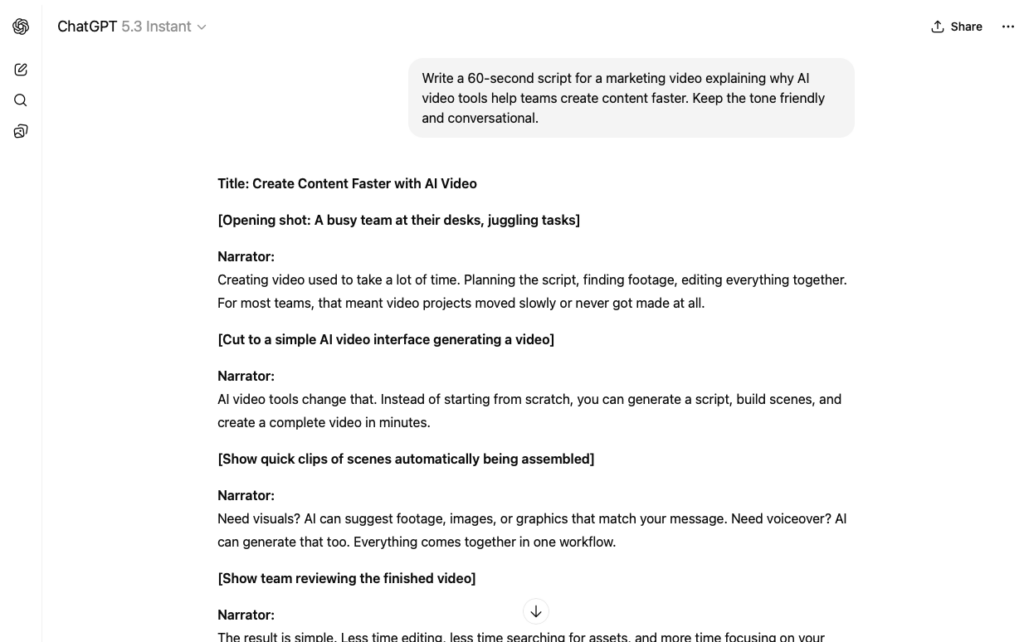
Start by opening ChatGPT and making sure that GPT-5.3 Instant is selected. Then write a prompt such as:
“Write a 60-second script for a marketing video explaining why AI video tools help teams create content faster. Keep the tone friendly and conversational.”
Once you’re satisfied with the script, copy it.
2: Open Visla’s AI Video Agent

Open Visla and start a new project using the AI Video Agent. Visla can transform written scripts into fully produced videos with the help of AI.
Visla’s AI Video Agent can also turn ideas, webpages, PPTs/PDFs, footage, images, and audio into videos.
3: Paste the Script Into Visla
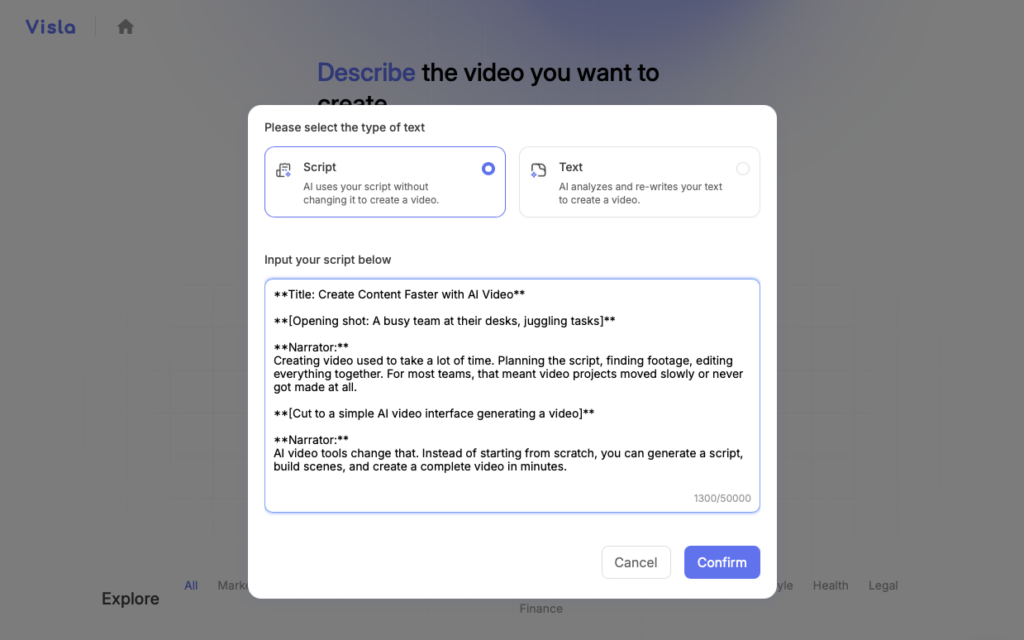
Paste your script into the platform. Visla will analyze the text and automatically structure the video into scenes.
Visla’s AI Video Agent will then add footage, subtitles, background music, and a voiceover to your script. If you want more advanced features, Visla can also generate an AI Avatar to present your script and even generate AI video clips for each scene in your video.
4: Customize and Refine Your Video
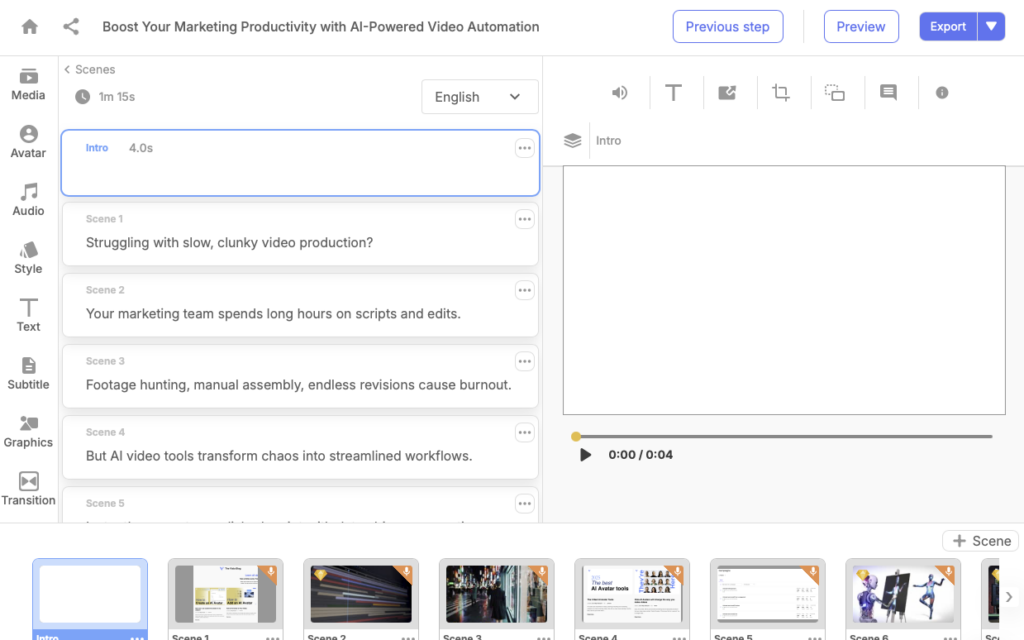
After the initial video is generated, you can refine it using Visla’s Scene Based Video Editor. For example, you can adjust scenes, swap footage, edit subtitles, add graphics or text overlays, and much more.
5: Export and Share
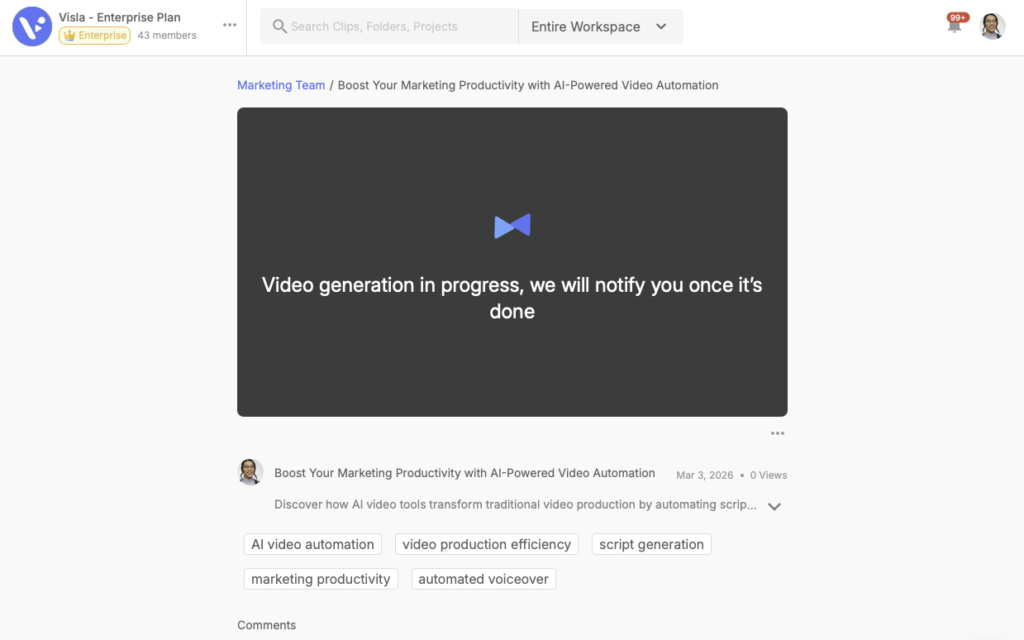
Once everything looks good, export the video and share it with your team or audience. Visla supports multiple formats and resolutions depending on your plan.
This workflow is simple but powerful. GPT-5.3 Instant helps you generate the script quickly, while Visla turns that script into a polished video presentation.
Together, they allow teams to move from idea to finished video in minutes.
A Fun Note About This Article
This blog article was initially drafted using GPT-5.3 Instant and then edited by a human writer.
Pretty cool, right?
FAQ
GPT-5.3 Instant is designed as a faster everyday model that produces clearer answers and fewer unnecessary refusals compared with earlier Instant releases. OpenAI reports that hallucinations dropped by about 26.8% when the model uses web browsing and roughly 19.7% without it, which is a meaningful improvement in factual reliability. The model is also tuned to provide smoother, less overly cautious responses and better performance on tasks like information lookup, tutorials, and technical writing. In short, GPT-5.3 Instant is meant to be the fast “daily driver” for ChatGPT, while more advanced models handle deeper reasoning tasks.
GPT-5.3 Instant is best for tasks where speed and clarity matter more than deep reasoning. Examples include drafting blog posts, writing scripts, summarizing documents, translating text, or generating ideas. Thinking models typically spend more time reasoning through complex tasks like financial modeling, multi-step research, or complicated problem solving. Many systems even automatically switch between Instant and Thinking depending on how complex the request is.
Not entirely, but it can dramatically speed up the early stages of the creative process. GPT-5.3 Instant can generate outlines, scripts, captions, and storyboards in seconds, which reduces the time needed to move from an idea to a draft. However, human editing, brand voice adjustments, and visual production tools are still important for producing professional results. That is why many teams pair LLMs with video platforms like Visla to turn scripts into finished media content.
It is safer than many earlier models, but it still requires verification for high-stakes use. Even with improved hallucination performance, large language models can still produce incorrect facts or outdated information. For business or research applications, it is best to treat the model as a drafting assistant rather than a final authority. Checking sources and reviewing important claims remains essential.
The release reinforces a growing pattern in AI development: specialized models optimized for different tasks. Fast conversational models handle everyday requests, while reasoning models focus on complex analysis and longer problem-solving workflows. This division helps AI systems deliver both speed and accuracy depending on what the user needs. Over time, many experts expect these capabilities to merge into systems that can shift seamlessly between instant responses and deeper reasoning modes.

May Horiuchi
May is a Content Specialist and AI Expert for Visla. She is an in-house expert on anything Visla and loves testing out different AI tools to figure out which ones are actually helpful and useful for content creators, businesses, and organizations.