
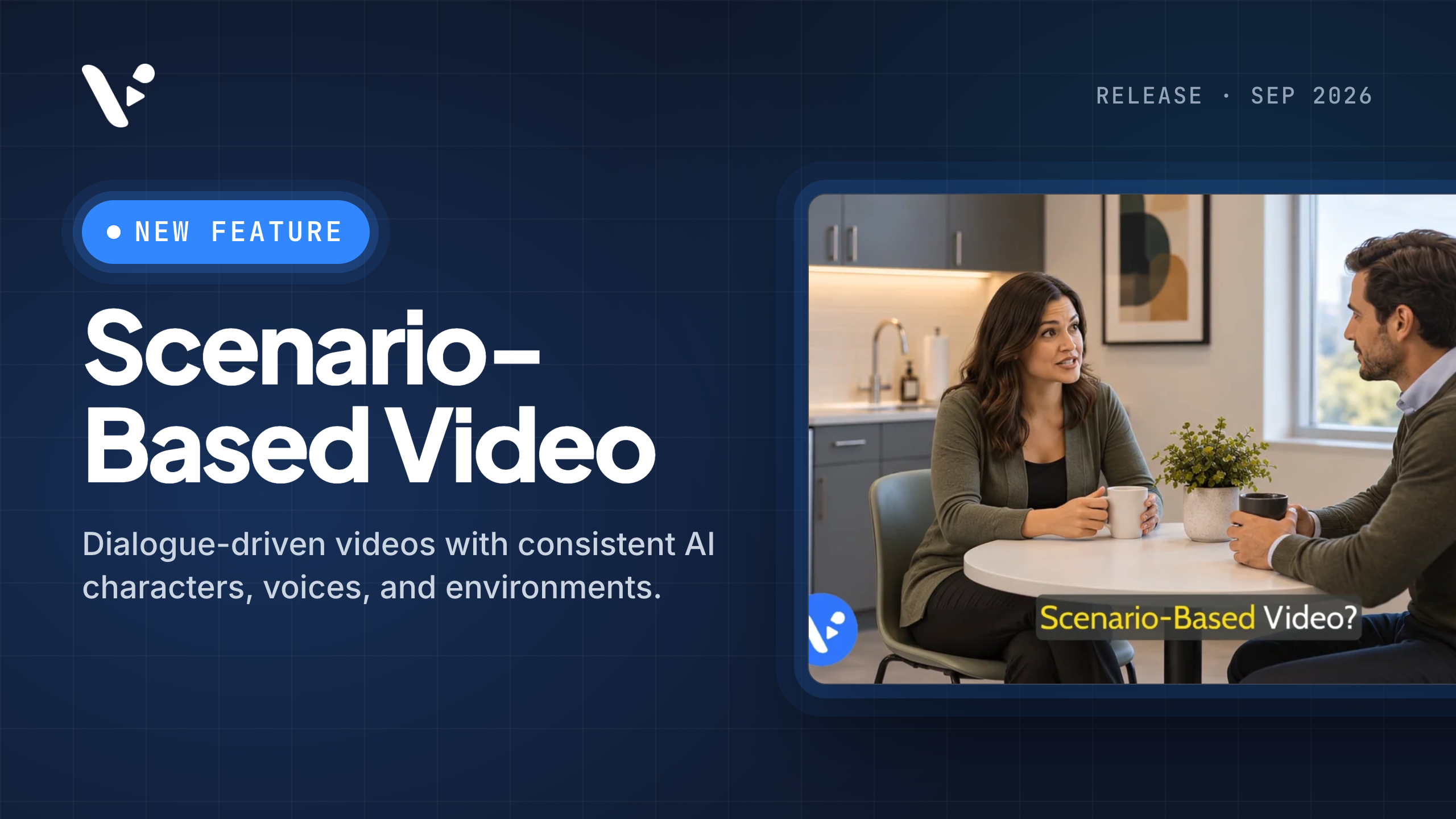
Quick answer: Scenario-Based Video is Visla’s workflow for creating and directing multi-character AI videos built around a scenario. This article explains what the feature is, how Visla keeps recurring characters, voices, environments, and objects consistent, and how to set up a scenario before generation. It also covers interactive training, instructional design, and measurement.
What is Scenario-Based Video?
Scenario-Based Video is Visla’s workflow for creating multi-character AI videos that play out a defined scenario. You set up who’s involved, where the scenario takes place, what the characters are trying to do, and how the situation should unfold. Visla prepares the script, characters, voices, environment, and scene structure so you can review the direction and storyboard before generating AI video clips.
Visla keeps recurring characters recognizable across scenes, including their appearance and voices, while maintaining the environment and important objects you’ve established. Once the clips are generated, you can continue editing the project in Visla’s Scene-Based Editor.
The workflow is especially useful for scenario-based training, role-play, customer interactions, sales conversations, interviews, and other videos where the situation develops through dialogue.
How to set up a scenario in Visla
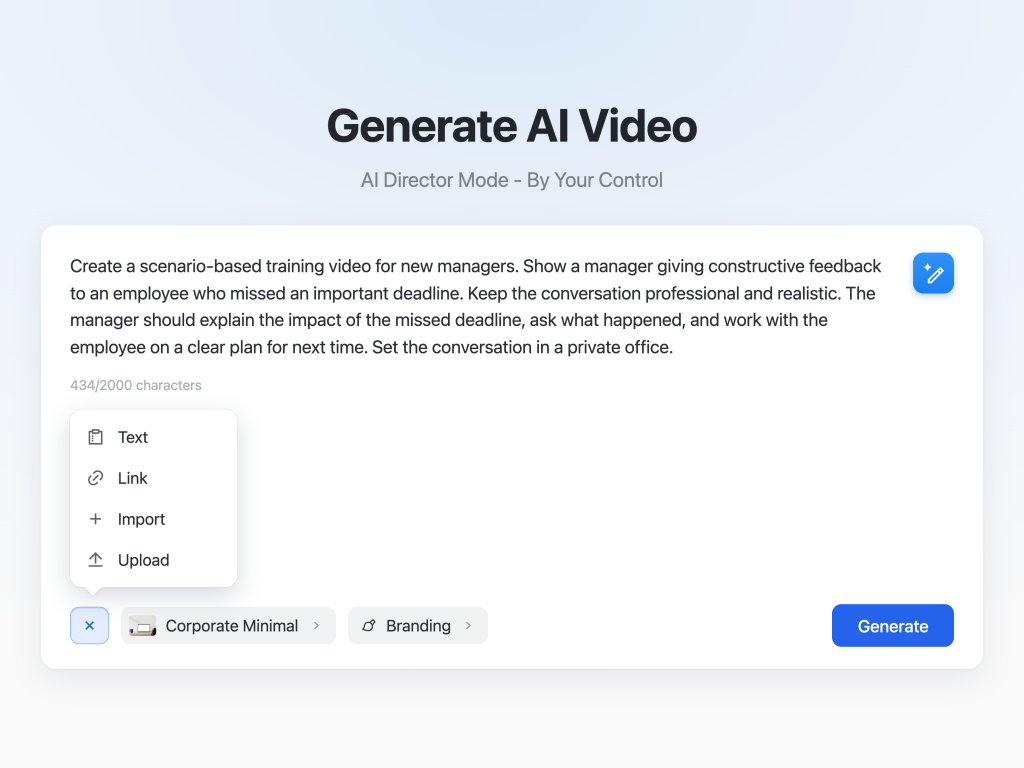
Start with the situation, not the individual shots.
Who are the characters? What roles do they have? Where are they? Why are they talking? Who’s the video for? What should the audience learn, notice, or practice by the end?
You can also define the tone, visual style, clothing, branding, environment, and other details that should remain consistent. If you’ve already written the full conversation, you can use it directly. Supporting material can add context when the scenario depends on a policy, product, training document, or other source.
For example:
Manager feedback conversation
Create a scenario-based training video for new managers. Show a manager giving constructive feedback to an employee who missed an important deadline. Keep the conversation professional and realistic. The manager should explain the impact of the missed deadline, ask what happened, and work with the employee on a clear plan for next time. Set the conversation in a private office.
That gives Visla the audience, roles, setting, problem, tone, and desired outcome without trying to direct every shot in advance.
How does Scenario-Based Video keep characters and scenes consistent?
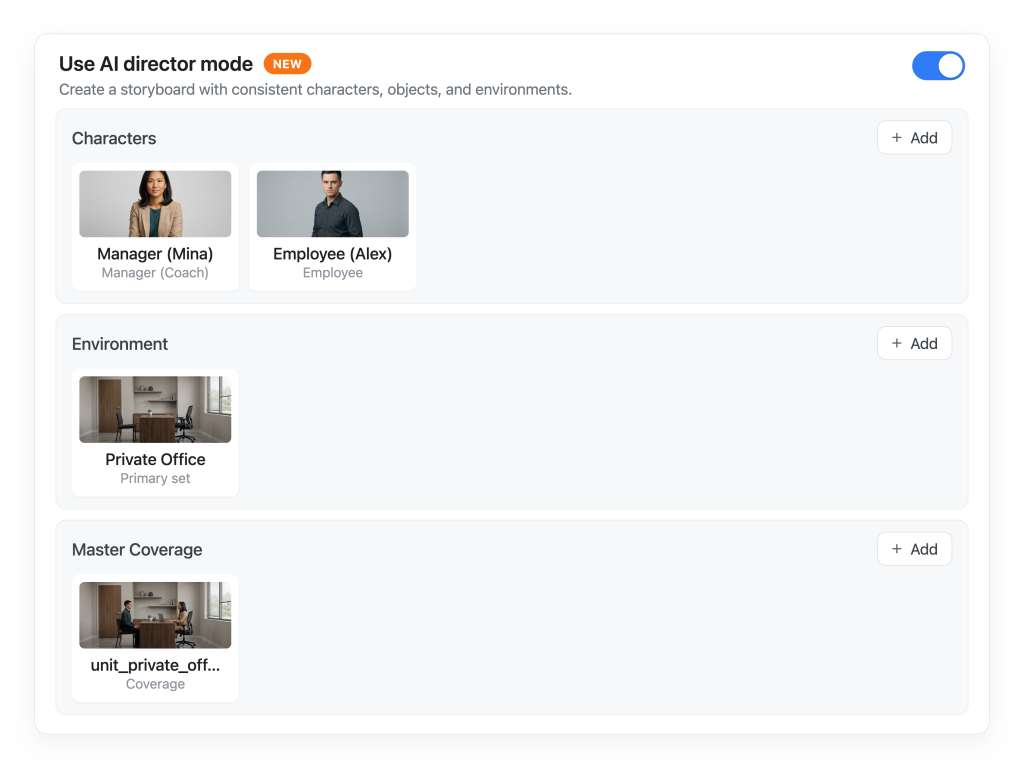
You can create the characters who appear in the scenario and define how they should look. You can also establish the environment, recurring objects, and other visual details that matter. Visla carries those elements across the relevant scenes as the scenario develops.
Continuity failures can make a sequence feel like several unrelated videos. If an employee suddenly looks different halfway through a feedback conversation, the office changes between shots, or a product changes appearance, the scenario stops feeling like one continuous interaction.
Before full video generation, Visla creates a storyboard with an AI-generated still for each scene. You can check the characters, environment, framing, and direction, then revise anything that’s off before deciding which scenes to generate as AI video clips.
Review and direct your scenario before generating AI video clips
Once the scenario is set up, Visla prepares its characters and voices, establishes the environment, and organizes the script into scenes. You can review the script and scene direction, make changes, and then move on to the storyboard.
The storyboard gives you an AI-generated still image for each scene, so you can check the framing, continuity, and overall direction before spending credits on full AI video generation.
If the storyboard looks right, choose the scenes you want to generate. Afterward, you can rearrange scenes, adjust timing, add text and graphics, or regenerate individual clips in the Scene-Based Editor without rebuilding the whole project.
That plan-first workflow will feel familiar if you’ve used AI Director Mode. Both let you review the direction before committing to the most expensive generation steps.
Why use multiple AI characters in a training video?
[Gif/video of two characters talking in a completed video]
Many workplace skills involve another person.
A manager may need to give difficult feedback. A support representative may need to calm down an angry customer. A salesperson may need to respond to an objection. An interviewer may need to ask better follow-up questions.
A narrator can explain those behaviors, but a conversation can show them in context. Learners can hear how something is phrased, watch the other person react, and see how one response changes what happens next.
That’s one reason scenario-based learning can be useful for interpersonal skills and applied decision-making. It gives learners a situation where they can examine or practice what someone should do instead of only hearing a rule explained.
Multiple AI characters are useful here because the interaction itself carries part of the lesson. If the learner only needs a straightforward explanation, a different video format may be simpler.
How to use Scenario-Based Video for interactive training
Scenario-Based Video can provide the video layer for an interactive training experience, but it helps to map the interaction before generating scenes.
First, identify the decisions the learner should make. Decide where the scenario branches, what choices the learner gets, what happens after each choice, and whether different paths reconnect.
Next, work out which video segments those paths require. You might need a shared opening scene, two alternative responses, separate consequence scenes, and a feedback scene. Create those segments in Visla while keeping the same recurring characters, environment, and objects across the relevant branches.
Once the segments are ready, export them and bring them into an interactive video or e-learning authoring tool. That’s where you can add clickable choices, branching logic, questions, feedback, scoring, and LMS functionality.
For example, a customer service scenario could pause after an upset customer explains the problem. The learner chooses a response, and the authoring tool sends them to the corresponding video segment. The paths might diverge briefly and then reconnect once the learner sees the consequence.
Designing those branches well matters as much as producing the video segments. This interactive training video how-to goes deeper into decision points, branching, and feedback without turning every scenario into an enormous decision tree.
How to design an effective scenario-based training video
A realistic-looking conversation can still be a bad lesson.
Start with a specific learning objective and decide what behavior, judgment, or decision the scenario is supposed to demonstrate. Keep the dialogue focused on that goal and make the situation plausible enough that learners can connect it to their work.
The same training video best practices still apply. Clear objectives, useful visuals, focused segments, and opportunities to practice matter more than complexity for its own sake.
How to measure scenario-based training effectiveness
Completion rate and watch time tell you whether people watched. They don’t tell you whether someone learned the skill or can use it later. Depending on the goal, you may need an assessment, a delayed retention check, observation of workplace behavior, or a business performance measure.
The right metric depends on what the training was supposed to accomplish, which is also the starting point for measuring training video effectiveness.

May Horiuchi
May is a Content Specialist and AI Expert for Visla. She is an in-house expert on anything Visla and loves testing out different AI tools to figure out which ones are actually helpful and useful for content creators, businesses, and organizations.