
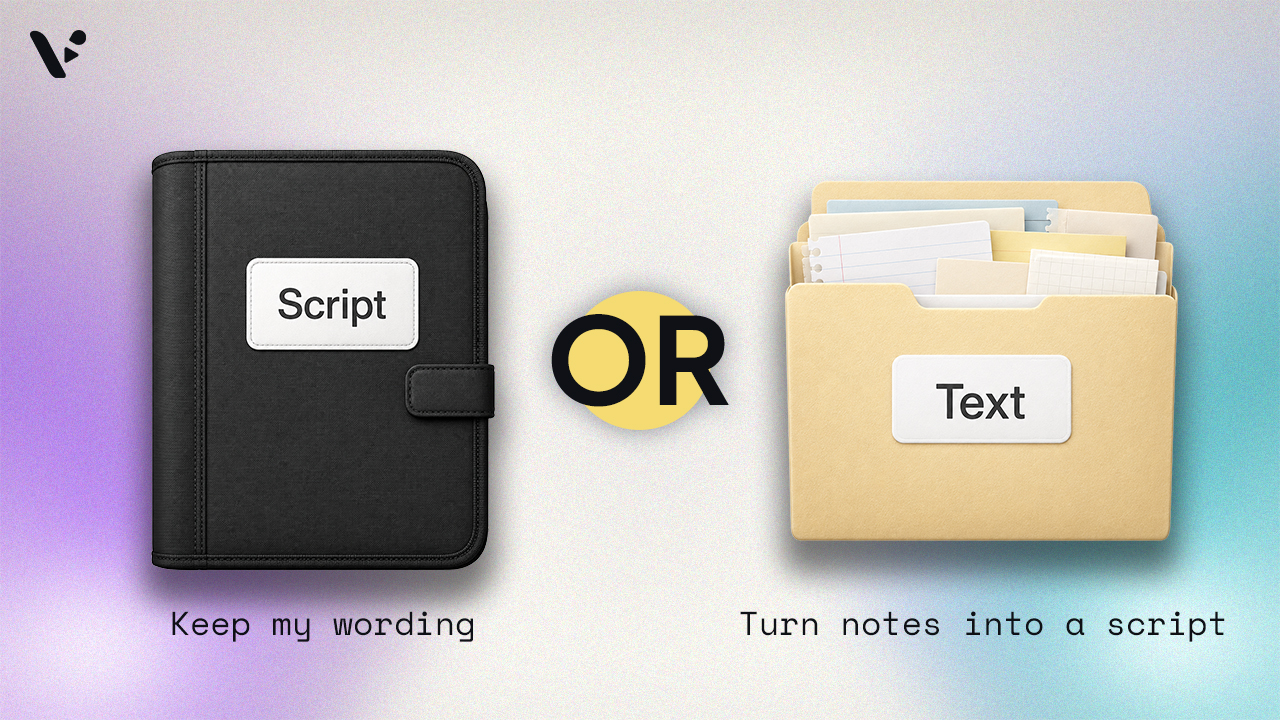
Quick answer: The main difference between script to video and text to video is whether the AI rewrites your script. In Visla, script to video uses the script you provide, while text to video turns rough text or source material into a new video script. Choose script to video when your wording is finished or needs to stay exact. Choose text to video when you have the information but want help shaping it for spoken delivery.
Script to video vs. text to video
| Question | Script to video | Text to video |
|---|---|---|
| What happens to your wording? | Visla uses the script you provide | Visla writes a new script based on your text |
| Best input | Finished, narration-ready copy | Notes, rough writing, or longer source material |
| How much writing does AI handle? | Little or none | Most of the first draft |
| Best reason to use it | Wording, tone, or approval matters | You want help turning information into a script |
| Can you edit the result? | Yes | Yes |
What is script to video?
Script to video turns your finished script into a video draft. You paste in the words you want the audience to hear, and Visla’s AI Video Agent divides the script into scenes. It then adds matching footage, voiceover, subtitles, and music.
Depending on your project and settings, the Agent can work with several types of footage:
- Clips from Visla’s free stock video library
- Footage from the premium video library
- Your own uploaded clips or assets stored in Private Stock
- AI-generated footage created through AI Director Mode
The script remains the foundation of the video. Visla handles the initial scene structure and production work around the words you’ve already written.
What is text to video?
Text to video turns written source material into a video-ready script, then creates the video. Your input can be notes, a rough explanation, a collection of facts, or a passage written for another format.
Visla’s AI Video Agent analyzes what you enter and uses it to write the final script. Your input doesn’t need to sound natural when read aloud. It only needs to give the Agent enough useful information to understand what the video should cover.
When should you use script to video?
Use script to video when you’ve already written what you want the audience to hear. It works especially well when:
- The script has already been reviewed or approved.
- Exact product, policy, or technical language matters.
- You’ve written for a specific speaker, tone, or brand voice.
- You’ve already tested the script’s timing.
- You want to preserve a particular hook, argument, or call to action.
This is the option I use most often for Visla’s blog videos. After I finish an article, I write a separate script that can usually be spoken in about one minute. By then, I’ve already chosen the point I want to make, the hook, and the supporting details.
Visla’s AI Video Agent turns that script into a video draft. It divides the script into logical scenes, which gives me a useful structure to work with when I start editing.
I usually select a Medium pace. In this context, pace affects the length and number of scenes, not how quickly the voiceover speaks. Medium usually gives me scene lengths that fit the visual rhythm I want for a short blog video.
When should you use text to video?
Use text to video when you know what the video should cover but haven’t written the script. It works well when your input is longer than a simple prompt but too rough, detailed, or disorganized to use directly as a voiceover.
Possible inputs include:
- Meeting notes
- Research findings
- Project updates
- Rough drafts
- Collections of ideas
- Long, unstructured explanations
- Sections from reports, help documents, or blog posts
Text to video can also help when the source material is already well written but wasn’t created for spoken delivery. A report paragraph may read clearly on the page while sounding stiff or overly dense when read aloud.
The Agent gives you a starting script without requiring you to organize every point and write every sentence yourself. You’ll still want to review the result for accuracy, tone, emphasis, and missing context before publishing the video.
A brief note on idea to video
Idea to video starts earlier. You enter a short concept or prompt, and Visla develops the message, writes the script, and creates the video draft.
Idea to video develops the message. Text to video rewrites and organizes your material. Script to video produces the message you’ve already written.
How to write a short script for video
This is the process I use for every Visla blog, not a one-size-fits-all scriptwriting guide. I usually start with an article of around 1,500 words, like this one, and turn it into a script of roughly 130 to 150 words.
I don’t try to squeeze the entire article into one minute. Sometimes I capture the essence of the whole piece. Other times, I choose the section that feels most relevant, useful, or interesting on video and build the script around that.
Decide what the video is actually about
Choose one main idea that you want the audience to take away and apply to their own work with Visla or video production.
That doesn’t always mean summarizing the article. A short video can explain one process, answer one question, clarify one distinction, or address one common mistake.
For this article, the full piece explains three ways to begin a video. The accompanying video might focus only on the practical difference between script to video and text to video. That’s enough material for one clear takeaway.
Write the hook first
I usually build the hook around the essence of the article or the specific section I’ve chosen. It often does one of the following:
- Poses a question
- Mentions a common blocker
- Establishes a useful distinction
- Makes the value of the information clear
For this topic, I might open with: “Script to video and text to video both start with words, but only one keeps those words unchanged.”
I could also begin with a question: “Should you give an AI video generator a finished script or let it write one for you?”
Both versions tell viewers what they’ll learn without spending several sentences setting up the subject. The HubSpot guide to writing video scripts also recommends defining the video’s goal and audience before drafting.
Choose only a few supporting points
Once the hook is set, choose the minimum information needed to explain it.
For this video, I’d define both workflows, explain when to use each one, and briefly mention that you can edit either result. That’s already enough for a one-minute video.
Trying to cover idea to video, every editing option, and a full scriptwriting tutorial would make the video rushed. Short scripts often improve when you remove a point instead of compressing several ideas into shorter sentences.
End as soon as the point is complete
A one-minute video doesn’t need a lengthy conclusion. Once you’ve answered the question or explained the idea, close the thought and stop.
For example: “Use text to video when you want help writing the message, and use script to video when the message is already written.”
That sentence resolves the comparison. Repeating every supporting point afterward would only slow down the ending.
Word count is a guide, not a law
I usually aim for 130 to 150 words because that often produces close to one minute of spoken audio. The exact duration depends on the selected voice, sentence structure, pauses, and pronunciation.
Read the script aloud or use a word count to read-time calculator before generating the video. If it sounds rushed, cut a supporting point or simplify a sentence.
The pace setting is a separate decision. In Visla, it affects how the script is divided into scenes and how long those scenes are. I usually choose Medium because it gives me a scene structure that works well for the short videos I make. A different project may benefit from shorter or longer scenes.
You can still edit the generated video
Script to video and text to video both create editable drafts. After Visla generates the project, you can refine it in the Scene-Based Editor.
You can rewrite the voiceover in an individual scene, split or merge scenes, rearrange their order, replace footage, adjust timing, and add text, graphics, or transitions. You don’t need to regenerate the entire project because one scene needs work.
FAQ
Yes. A long article, report, or help document may contain several ideas that can each support a separate short video. Instead of forcing everything into one script, choose a different question, section, or takeaway for each video. This usually produces clearer videos and gives you more content from the same source material.
There’s no universal ideal length. Include enough context for the AI Video Agent to understand the subject, intended takeaway, and important facts, but remove anything irrelevant to the video. If your source contains several unrelated topics, separate them into different projects or clearly identify which part should guide the script.
Decide when approval needs to happen before choosing the workflow. A team can use text to video to create an initial script, review and revise that script, then continue editing the generated project. For regulated, technical, or executive communications, it may be easier to approve the wording first and begin with script to video.

May Horiuchi
May is a Content Specialist and AI Expert for Visla. She is an in-house expert on anything Visla and loves testing out different AI tools to figure out which ones are actually helpful and useful for content creators, businesses, and organizations.