
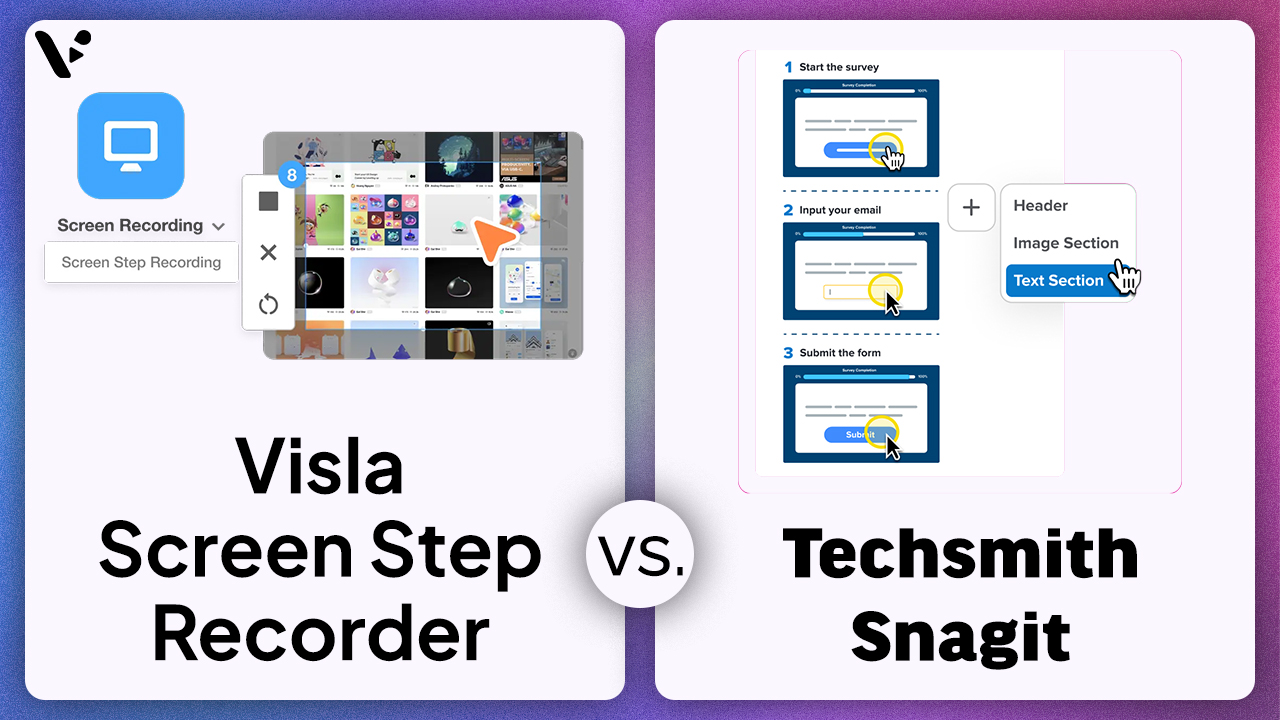
If you’re comparing Visla Screen Step Recorder and TechSmith Snagit, you’re comparing two different approaches to step-by-step content: TechSmith Snagit is a screen capture and annotation product whose Step Capture feature collects sequential screenshots and turns them into a numbered visual guide, while the Visla Screen Step Recorder turns a recorded process into a more complete business asset that can become a video, GIF, or PDF and move into the Visla AI Video Agent, Visla Scene-Based Editor, and Visla Video Collaboration Workspace for editing, branding, review, and sharing. That’s why TechSmith Snagit remains a strong choice for screenshot-heavy documentation, while Visla Screen Step Recorder is the stronger option for onboarding walkthroughs, SOP videos, support explainers, product demos, and reusable internal training content.
Quick Answer
Visla Screen Step Recorder is a stronger Snagit alternative for business teams because it captures clicks, keystrokes, scrolls, and screen actions, then turns them into editable, shareable training content with scenes, on-screen text, visuals, subtitles, voiceover options, collaboration features, and exports like video, GIF, or PDF, while TechSmith Snagit Step Capture is better for fast screenshots, annotations, and simple visual documentation because it automatically captures screenshots and turns them into a numbered visual guide. If your goal is a reusable business guide instead of a static document, Visla offers the more complete workflow.
TechSmith Snagit vs. Visla Screen Step Recorder: At-a-Glance Comparison
| Category | TechSmith Snagit | Visla Screen Step Recorder |
|---|---|---|
| Full product name | TechSmith Snagit | Visla Screen Step Recorder |
| Parent platform | TechSmith capture and sharing ecosystem | Visla AI video creation, editing, and collaboration platform |
| Core approach | Screenshot-first documentation | Step-to-video workflow for business content |
| What it captures | Screenshots, scrolling pages, screen recordings, Step Capture sequences | Clicks, keystrokes, scrolls, screen activity, screen recordings |
| Best final output | Annotated screenshots, numbered visual guides, quick recordings | How-to videos, SOP guides, onboarding walkthroughs, support explainers, product demos |
| Post-capture editing | Snagit Editor and sharing through Screencast | Visla AI Video Agent and Visla Scene-Based Editor |
| Collaboration model | Link sharing, comments, reactions, and access controls in TechSmith Screencast | Timestamp comments, replies, resolved feedback, Workspaces, Teamspaces, permissions, and Enterprise admin controls |
| Best for | Individuals and teams doing screenshot-heavy communication | B2B and enterprise teams producing repeatable training and support content |
What TechSmith Snagit Does Well
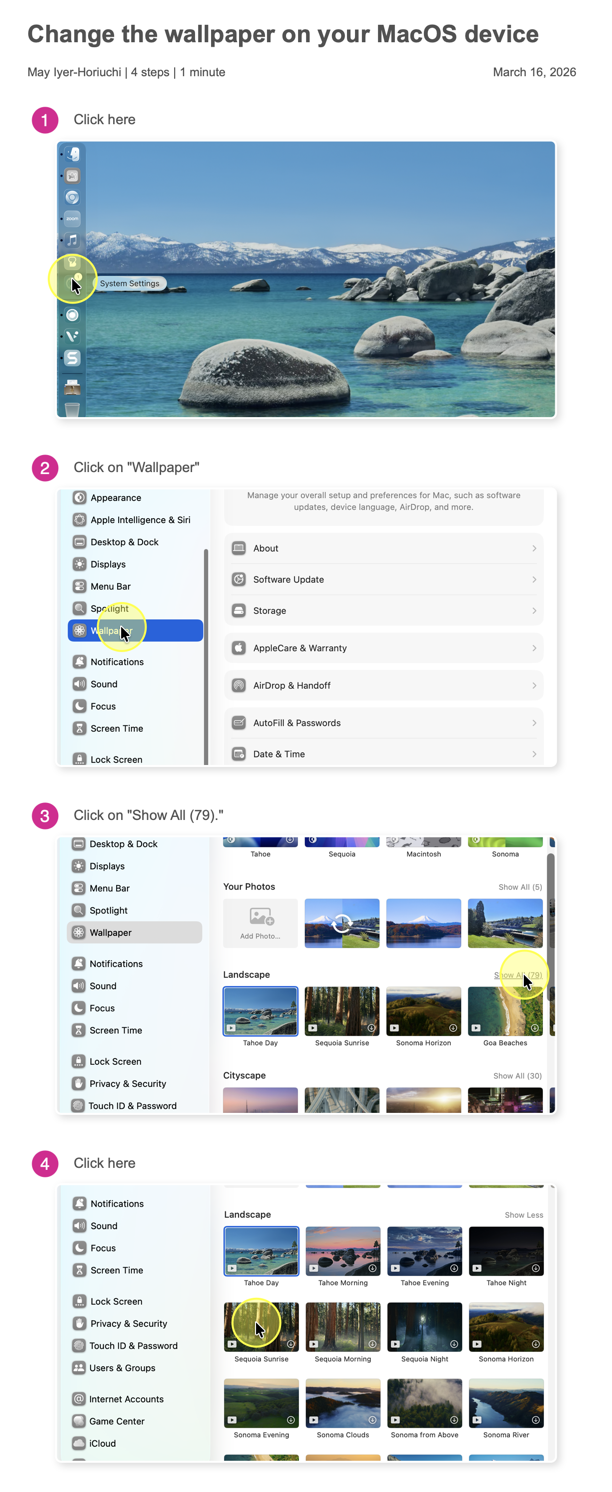
TechSmith Snagit is strongest when the job is to capture something quickly, mark it up clearly, and share it fast. The product is built around screenshots, visual communication, and lightweight recording. Its Step Capture feature is especially useful for image-first documentation because it automatically collects screenshots as you move through a process, numbers each step, and lays the results into a guide you can edit and annotate.
That makes TechSmith Snagit a strong fit for:
- technical writers building screenshot-based instructions
- QA teams documenting bugs and reproduction steps
- IT and support teams sharing quick visual fixes
- internal teams creating lightweight process notes
- anyone who needs scrolling capture, blur, markup, and instant sharing more than polished video output
This is why Snagit still remains popular. It’s efficient, familiar, and focused. If your process ends with “send the screenshot” or “drop this into a help doc,” Snagit feels natural.
What Visla Screen Step Recorder Does Differently
Visla Screen Step Recorder overlaps with Snagit when it’s capture your device’s screen, but it goes much further after that.
Visla doesn’t just collect screenshots. It records a process and turns that process into a step-by-step guide built from scenes. That guide can include on-screen text, overlays, subtitles and voiceover. You can then export it as a video, GIF, or PDF. It can then move into Visla AI Video Agent for guided refinement and into Visla Scene-Based Editor for scene-level editing.
That creates a very different workflow from TechSmith Snagit Step Capture.
Instead of ending with a screenshot sequence, a Visla user can end with a guide that behaves more like a lightweight training video. That’s a major advantage for teams that want step-by-step content to actually teach, not just document.
It also means Visla Screen Step Recorder is built for a broader set of business use cases, including:
- employee onboarding walkthroughs
- standard operating procedure videos
- customer support and customer success explainers
- product demos and product adoption content
- internal enablement and team training
- repeatable process documentation that needs to stay useful over time
Is Visla a Good Snagit Alternative for Business Teams?
Yes, especially if your team needs more than screenshots.
The strongest case for Visla as a Snagit alternative is not that it captures every screen event in a more magical way. The strongest case is that it solves a bigger business problem after the capture. Once a walkthrough is recorded in Visla, teams can move it into Visla AI Video Agent, refine the structure, then use Visla Scene-Based Editor to rearrange scenes, trim content, polish text, tighten pacing, and improve the final guide.
That matters because most business content needs a second pass. Wording needs cleanup. Branding needs to be applied. Timing needs to be improved. Feedback needs to be incorporated. A screenshot tool can support part of that process. A scene-based content workflow is simply better built for it.
So if your real question is “Is Visla a good Snagit alternative for support teams, onboarding teams, training teams, or product marketing teams?” the answer is yes.
Which Tool Is Better for SOP Videos, Onboarding Walkthroughs, and Support Guides?
For those use cases, Visla Screen Step Recorder is the better fit.
Why? Because those teams usually need more than proof that a process happened. They need content that can be reused, reviewed, shared broadly, and understood without extra explanation.
A customer support team may want a step-by-step video that resolves repeat questions faster. A customer success team may want a clear walkthrough for product adoption. A people ops or L&D team may want onboarding content that can be used every month. A product team may want a demo that feels polished enough to share internally or externally.
That’s exactly where Visla Screen Step Recorder wins. It captures the process, then helps turn that process into a guide with narration, subtitles, scene structure, and better post-capture polish.
TechSmith Snagit can still help with SOPs and support content, especially if the format is mostly screenshots and short notes. But for SOP videos, onboarding walkthroughs, and customer-facing support guides, Visla’s workflow is more aligned with the job.
Which Tool Is Better for Screenshot-Heavy Documentation?
This is what TechSmith Snagit has been designed for, but Visla also has a good option for this workflow.
If your team mainly needs annotated screenshots, scrolling captures of long pages, visual bug reports, and quick image-based instructions, Snagit is excellent. It stays fast because it doesn’t try to be a full collaborative video platform, and that focus is part of its appeal.
Visla Screen Step Recorder can export a recorded guide as a PDF, so document-style output is not an advantage only Snagit has. The bigger difference is that Snagit is more naturally optimized for screenshot-heavy documentation, while Visla is optimized to turn a recorded process into broader training and walkthrough content that can also be shared as video, GIF, or PDF.
That’s why Snagit can still be the better choice for highly screenshot-centric teams, even if Visla Screen Step Recorder is the better overall choice for broader business walkthrough content.
Collaboration Is Where the Gap Gets Bigger
This is the section that matters most for B2B and enterprise buyers.
TechSmith Snagit can be shared through TechSmith Screencast, which adds link sharing, comments, reactions, and lightweight async collaboration. That’s useful, especially for individuals and smaller teams.
But Visla is more deeply built around collaborative production. The Visla Video Collaboration Workspace supports feedback directly on the content itself. Teams can comment on exact video moments, reply to one another, and resolve feedback. Visla Workspaces and Visla Teamspaces make it easier to keep content organized by team, project, function, or brand.
That matters because real business content usually involves more than one person. A support lead may record the process. A trainer may standardize the language. A manager may want approval before publishing. A designer may care about brand consistency. Procurement or IT may care about access control and enterprise readiness.
Visla Screen Step Recorder fits that reality better because it sits inside a broader content workflow, not just a capture workflow.
What Makes Visla the Better Enterprise Alternative to Snagit?
The case for Visla as a better enterprise alternative comes down to scope and workflow. Snagit is very good at capture and annotation. Visla covers capture, guide generation, editing, collaboration, review, and business deployment in one platform.
That matters for enterprise teams because enterprise content doesn’t live in a vacuum. It usually needs:
- repeatable workflows
- shared ownership
- versioning and revision
- faster review cycles
- clear permissions
- branding consistency
- admin controls for rollout across departments
Visla Screen Step Recorder fits that environment more naturally because it connects to the rest of the Visla AI video platform. The question is not just “Can this tool capture my process?” It’s “Can this tool help my company turn processes into scalable business content?”
For that question, Visla has the stronger answer.
Pricing and Value Depend on What You’re Actually Replacing
| Pricing category | TechSmith Snagit | Visla |
|---|---|---|
| Entry point | Snagit Individual: $39 per year billed yearly | Free plan available |
| Team plan | Snagit Business: $48 per user per year billed yearly for 1 to 9 users, with discounts for 10+ users | Pro: starts from 5,000 monthly assigned credits and flexible credits at 150 credits per dollar |
| Larger organizations | Enterprise: contact sales | Business: starts from 20,000 monthly assigned credits and flexible credits at 100 credits per dollar; Enterprise: custom pricing |
| Pricing model | Straightforward annual per-user subscription | Tiered subscription plus credit-based usage model |
| What you are paying for | Focused screen capture, annotation, Step Capture, and lightweight sharing | Broader AI video creation, Screen Step Recorder, editing, collaboration, sharing, and business workflow features |
| Best value case | Leaner for users who mostly need screenshots, markup, and simple visual guides | Stronger for teams replacing multiple steps across capture, narration, subtitles, editing, review, branding, and sharing |
Final Verdict: The Better Snagit Alternative for Modern B2B Teams
TechSmith Snagit is a good screenshot and annotation tool. Its Step Capture feature makes visual documentation faster by automatically collecting sequential screenshots and turning them into numbered, editable guides.
The Visla Screen Step Recorder solves a bigger business problem.
It captures actions, turns them into a polished guide with scenes, text, narration, subtitles, and flexible output formats, lets teams refine that guide in Visla AI Video Agent and Visla Scene-Based Editor, and supports collaborative review through Visla Video Collaboration Workspace, Visla Workspaces, Visla Teamspaces, and enterprise-ready controls.
That’s why Visla is the better choice for companies creating SOP videos, employee onboarding walkthroughs, customer support guides, product demos, and repeatable internal training content.
If you only need better screenshots, Snagit is a smart pick. If you need a stronger way to turn screen processes into scalable business content, Visla Screen Step Recorder is the better Snagit alternative for business teams and enterprise workflows.

May Horiuchi
May is a Content Specialist and AI Expert for Visla. She is an in-house expert on anything Visla and loves testing out different AI tools to figure out which ones are actually helpful and useful for content creators, businesses, and organizations.