
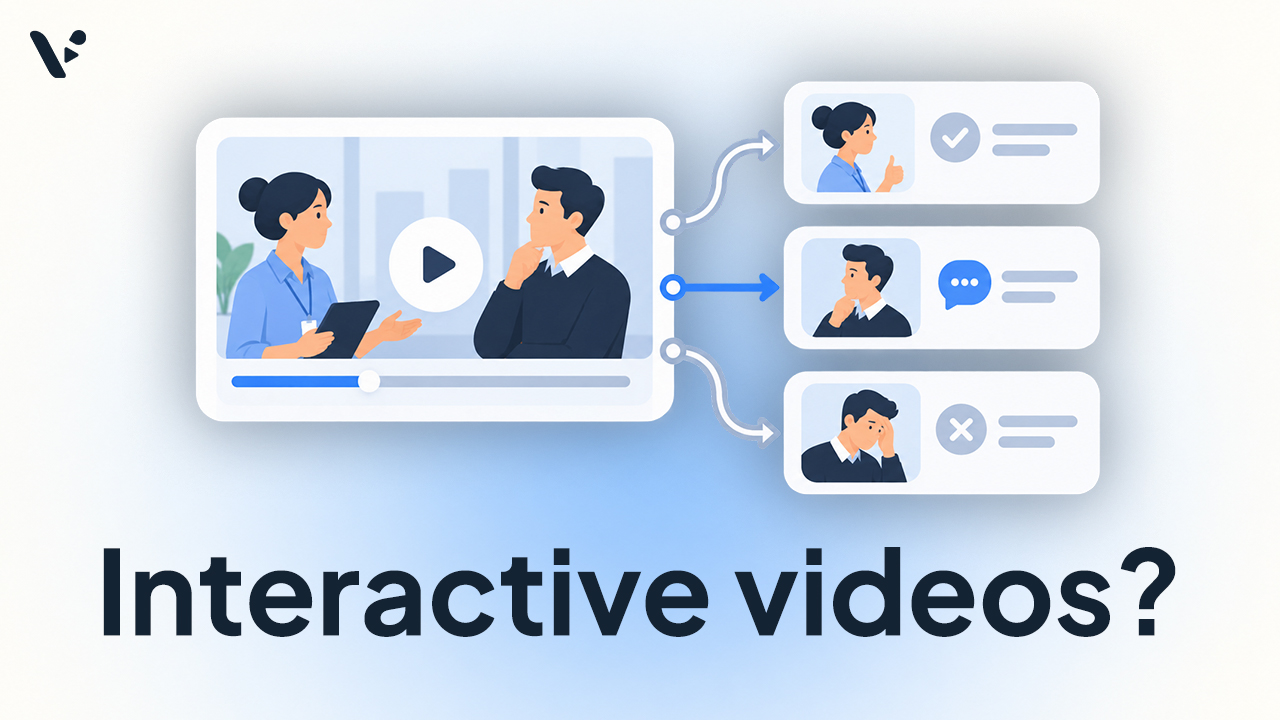
Quick Answer: Interactive videos can be used for training by asking learners to answer questions, make decisions, choose paths, and see the consequences of their choices while they watch. Research finds that well-designed interactions can improve retention, comprehension, and transfer, especially when the video pauses while learners respond. Interactivity can’t replace good instructional design, so a simple scenario with realistic practice and useful feedback may teach more than a complicated video with dozens of branches. Interactive training videos work particularly well for customer service, onboarding, compliance, management, sales, safety, and other situations where employees need to apply what they’ve learned.
Why does interactive video work for training?
An interactive training video asks the learner to do something during the experience rather than simply watch from beginning to end. That interaction could be a question, hotspot, decision, branching path, or practice task tied to the lesson.
Pause the video when learners need to respond
A meta-analysis by Rolf Ploetzner on interactive educational video examined 17 studies with 22 effect sizes. Videos containing learning-focused interactions were more effective than videos with only navigational interactions or no interactions, with an overall effect size of Hedges’s g = 0.522.
Playback timing mattered. When a video continued playing while learners dealt with an interactive element, their attention was split and learning suffered. For training design, that means playback should stop for questions, decisions, or other tasks and continue after the learner responds.
Use interactions for practice
A 2025 meta-analysis of active learning in video looked at 54 studies comparing active learning strategies with passive video watching. Active learning improved retention (g = 0.33), comprehension (g = 0.28), and transfer (g = 0.43). Ninety-three percent of the studies involved adults, making the results particularly relevant to workplace learning.
In workplace training, transfer means that employees generalize what they learned to their jobs and continue using those skills over time. Baldwin and Ford identified generalization and maintenance as the two central conditions of transfer in their foundational review of training transfer. Learning something during a course and applying it later at work aren’t the same outcome.
The work environment matters, too. A 2020 meta-analysis of workplace support and training transfer found moderate positive relationships between transfer and peer, supervisor, and organizational support. Together, the work-environment variables in its model accounted for 32% of the variance in transfer. Interactive video can provide practice, but employees still need opportunities and support to use what they’ve learned.
A meta-analysis comparing web-based and classroom instruction reached a related conclusion. When both formats used the same instructional methods, web-based and classroom instruction were equally effective for declarative knowledge. Web-based instruction was 19% more effective under conditions that included learner control, longer courses, practice, and feedback.
The same instructional-design principles covered in our guide to what makes a good training video still apply.
360-degree video and VR require much more production work
A 2023 meta-analysis of learning from 360-degree video found no significant overall learning benefit or detriment compared with other approaches. The researchers concluded that when cognitive learning is the goal, other technologies may be more resource-efficient.
The production requirements can be substantial. One 360-degree trauma-training production project used six 360-degree cameras, separate 360-degree microphones, mounts, clamps, and booms. Producing the final videos also required stitching camera views, synchronizing separate audio and video, managing dozens of files, editing the material, and testing the finished experience in VR headsets. An 18-minute trauma recording generated 36 separate files across the six camera positions.
A fully simulated VR environment adds software development. One peer-reviewed firefighter training project used Meta Quest 2 headsets and handheld controllers, while its scenarios were built in the Unity game engine. The researchers also used laptops to monitor participants’ headset views and had to pilot and revise the virtual environment before the main study.
These aren’t unusual concerns. A 2025 systematic review of 201 studies on VR in employee training identified investment in technical infrastructure and content development, specialized knowledge, employee unfamiliarity with 3D environments, hardware costs, and user discomfort among the challenges organizations face.
VR can be useful when the learning objective genuinely depends on immersion or when practicing the real task would be dangerous or impractical. Otherwise, an L&D team should have a strong reason to take on the extra hardware, development, deployment, and user-training requirements when employees could practice the same decisions through interactive video on devices they already use.
What does a good interactive training video look like?
Start with a situation the learner could plausibly encounter at work.
Imagine customer-service training for a hotel. A guest arrives frustrated because their room isn’t ready. The video shows the interaction and pauses to ask the employee what they’d do next. Their response determines which short consequence they see, followed by feedback explaining why the decision worked or didn’t.
The choices should require judgment. If one option says “apologize and find a solution” while another says “tell the guest to stop complaining,” the learner only has to spot an obviously bad answer. A useful scenario makes learners distinguish between responses that could reasonably occur at work.
Branches don’t need to grow indefinitely. Different choices can lead to consequence or feedback scenes and then reconnect with the main scenario. Kaltura recommends limiting each node to five or fewer outgoing paths so viewers aren’t given too many choices at once.
Choose the interaction based on the skill being taught. Hazard identification can pause on a workplace scene and ask learners to click the problem. Judgment training can present plausible responses and show their consequences. If the goal is recall or comprehension, an embedded question may be enough.
Interactive video training examples from real companies
Radisson Hotel Group
Radisson Hotel Group used interactive customer-service videos featuring real employees and common hotel situations.
According to Radisson data reported by its production partner Fluent Media, the videos improved information retention by up to 42% compared with standard training formats. Employees also engaged for up to five times longer, and the case study reports better recall and application of customer-service protocols. Read the Radisson interactive training case study
Those figures weren’t produced by an independent controlled experiment, so they shouldn’t carry the same evidentiary weight as the meta-analyses above. They do provide a concrete example of interactive video being applied to realistic workplace decisions.
Allianz Global Investors
Allianz Global Investors created Welcome to the Investment Factor, an interactive recruiting and onboarding experience in which viewers played through a simulated first day as a portfolio manager. They explored the office, interacted with characters, made decisions, and earned points for behaviors the company wanted to reinforce.
The project’s case study reports eight minutes of average engagement, four times the average for standard video, and a 400% increase in engagement over previous video statistics. It also reports the company’s highest follower engagement on a LinkedIn post at that time. See the Allianz Global Investors interactive video case study
Vodafone
Vodafone used interactive video-based scenarios in Code of Conduct, anti-bribery, and security training. Its anti-bribery module, for example, required employees to identify risks appearing in conversations on screen. Vodafone reported that the refreshed interactive modules were consistently rated five stars on its learning platform. Read Vodafone’s reporting on its interactive compliance training
Tools for creating interactive training videos
| Tool | What it’s useful for | Interactive training features |
|---|---|---|
| Articulate Storyline | Building interactive video inside larger e-learning courses | Feedback, branching to different slides or scenes, quizzes, triggers, and conditional responses |
| Adobe Captivate | Interactive video and broader course authoring | Video bookmarks, quiz overlays, and other interactions that can interrupt playback |
| Vimeo Interactive | Organizations already using Vimeo for enterprise video | Embedded quizzes, immediate feedback, and SCORM or xAPI LMS reporting on supported Enterprise setups |
| H5P | LMS and browser-based interactive learning | Questions, adaptive jumps, bookmarks, links, and separate branching-scenario tools |
| Kaltura | Organizations using Kaltura for enterprise or educational video | Visual node maps, branching paths, and clickable hotspots |
| Mindstamp | Adding interactivity to videos you already have | Questions, feedback, branching, learner-level reporting, retries, and SCORM or xAPI support |
Creating interactive training videos with Visla
Visla already handles much of the production work behind this kind of training. The Visla AI Video Agent can create training videos from materials including scripts, webpages, PDFs, and presentations. The Scene-Based Video Editor lets teams revise individual scenes rather than rebuilding the entire video.
For scenarios that need the same people, products, locations, or visual style across several outcomes, AI Director Mode can maintain visual continuity across AI-generated scenes. That can reduce the production work required to create alternative outcomes.
FAQ
Interactive video works especially well for training that requires employees to make decisions, such as customer service, compliance, safety, sales, and management training. Branching scenarios can show learners a realistic situation, ask what they would do, and then demonstrate the consequences of that choice. Simpler interactions such as quizzes or hotspots can also work well when the goal is recall, comprehension, or identifying something on screen.
Research suggests that well-designed interactive video can improve retention, comprehension, and transfer compared with passive video watching. The benefits depend on instructional design, including giving learners meaningful practice, useful feedback, and enough time to respond without the video continuing in the background. Adding more branches or interactive elements doesn’t automatically make a training video more effective.
Interactive video usually runs on standard computers, phones, or tablets and lets learners answer questions, click hotspots, or choose different paths through a scenario. VR training can provide a stronger sense of immersion, but it may require headsets, controllers, 3D environments, specialized development work, and additional deployment support. For many workplace training scenarios, interactive video can provide meaningful decision practice without the added cost and complexity of VR.

May Horiuchi
May is a Content Specialist and AI Expert for Visla. She is an in-house expert on anything Visla and loves testing out different AI tools to figure out which ones are actually helpful and useful for content creators, businesses, and organizations.