

Quick Answer: which AI Video Generator is best?
The best AI video generator depends on your workflow. Visla is our pick for businesses that need an end-to-end platform for creating, recording, editing, branding, collaborating on, and publishing videos. Synthesia is a strong choice for avatar-led corporate training. Descript is best suited to editing podcasts, interviews, and other speech-heavy recordings. Runway is a better fit for creative teams generating cinematic AI clips.
How we evaluated these AI video generators
I tested each platform directly and evaluated it as a business video tool, rather than judging it only by the quality of a single AI-generated clip. I looked at the full workflow: how quickly a team can create a first draft, how much control users have over editing, whether the platform supports branding and collaboration, what kinds of source materials it accepts, and which business use cases it handles best.
Visla publishes this article, so our perspective isn’t neutral. We’ve tried to make the tradeoffs clear. Synthesia is particularly strong for avatar-led training videos. Descript is a strong editor for recorded, speech-heavy content. Runway is better suited to cinematic AI generation. Visla is our pick for teams that need an end-to-end business video production environment.
Best AI Video Generators for Business: At a Glance (2026)
| Platform | Best For | Free Plan/Trial | Paid plans start at* |
|---|---|---|---|
| Visla | Enterprise B2B video production | Yes | $9/month |
| Synthesia | AI avatar videos for training and presentations | Yes, with limits | $18/month |
| HeyGen | Avatar-led marketing and sales videos | Yes, with limits | $24/month |
| Descript | Editing podcasts, interviews, and speech-heavy videos | Yes | $16 per person/month |
| VEED.io | Browser-based video editing and social content | Yes | $12/month |
| Pictory | Repurposing articles, scripts, and webinars | 14-day free trial | $25/month† |
| InVideo AI | High-volume prompt-to-video creation | Yes, with limits | $17/month |
| Runway | Cinematic generative video and creative experimentation | Yes, with limits | $12 per user/month |
* Lowest publicly listed monthly equivalent with annual billing, where available. Prices checked June 11, 2026. Plans, limits, and promotional rates may change.
† Pictory currently advertises its $25 Starter price as an exclusive promotional offer. Its standard displayed annual price is $29 per month.
Visla – Best AI Video Generator for Enterprise Video Production

If your team produces video at scale, then Visla is for you. It’s a complete, start-to-finish AI video production platform: you can use its AI video agent to go from an idea, script, PDF/PPT, footage, or audio all the way to a polished, branded final video in the same place. However, Visla doesn’t just handle creation. It also has powerful video and screen recording tools, an innovative screen step recorder, AI avatars, AI voice cloning, massive stock libraries, and more.
What sets Visla apart for business teams is the depth of its enterprise layer. Workplaces and Teamspaces allow teams and businesses to properly organize all of their video assets and projects. The AI Director Mode lets you control characters, objects, and environments across scenes, so your video doesn’t change actors or settings halfway through. Plus, Business and Enterprise tiers get you Private Stock with AI labeling, full brand kits, SSO, dedicated account management, and more custom avatars and voice clones.
Best for: Marketing teams, L&D departments, and enterprise organizations that need consistent, branded video output at scale.
Visla Pricing: Free plan available. Pro starts at $18/month. Business starts at $59/month. Enterprise is custom.
Synthesia – Best AI Video Generator for Corporate Training
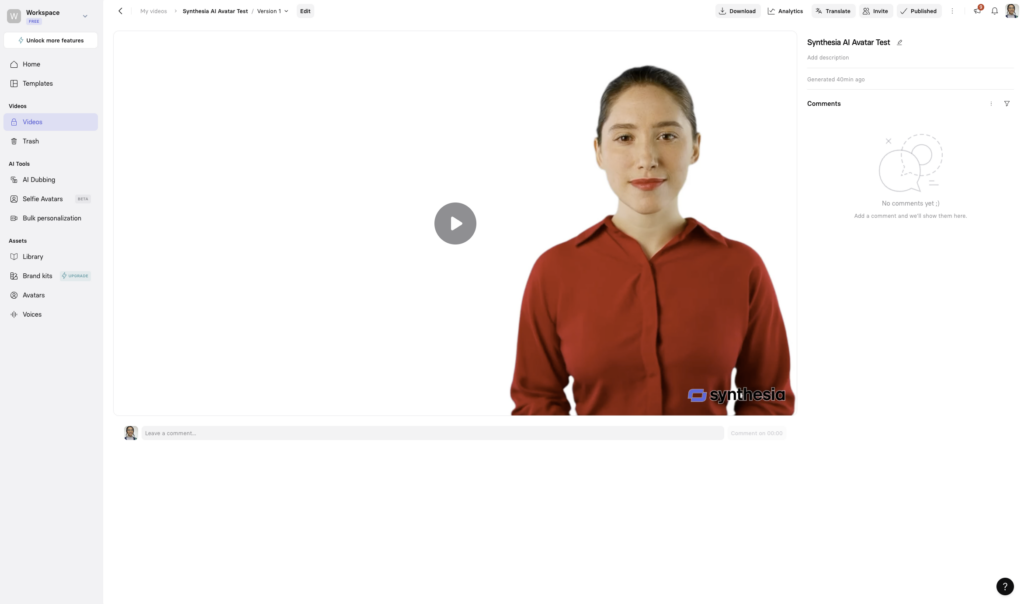
Synthesia has long been one of the most mature AI avatar platforms on the market, and it continues to earn that reputation. The platform is built around generating avatar-led videos from a script, boasting support for 160+ languages and a growing library of realistic digital presenters.
The tradeoff is that Synthesia is quite structured. If you’re sure that you want to create videos led by digital presenters, then it’s the right tool for you. It’s great for consistency but somewhat limiting if you need more creative flexibility or want to incorporate your own footage and B-roll.
Best for: Enterprise L&D teams and HR departments creating high-volume training and onboarding content in multiple languages.
Synthesia Pricing: Limited free trial. Starter at $29/month (120 minutes/year). Creator at $89/month. Enterprise is custom.
HeyGen – Best AI Video Generator for Content Creation and Marketing
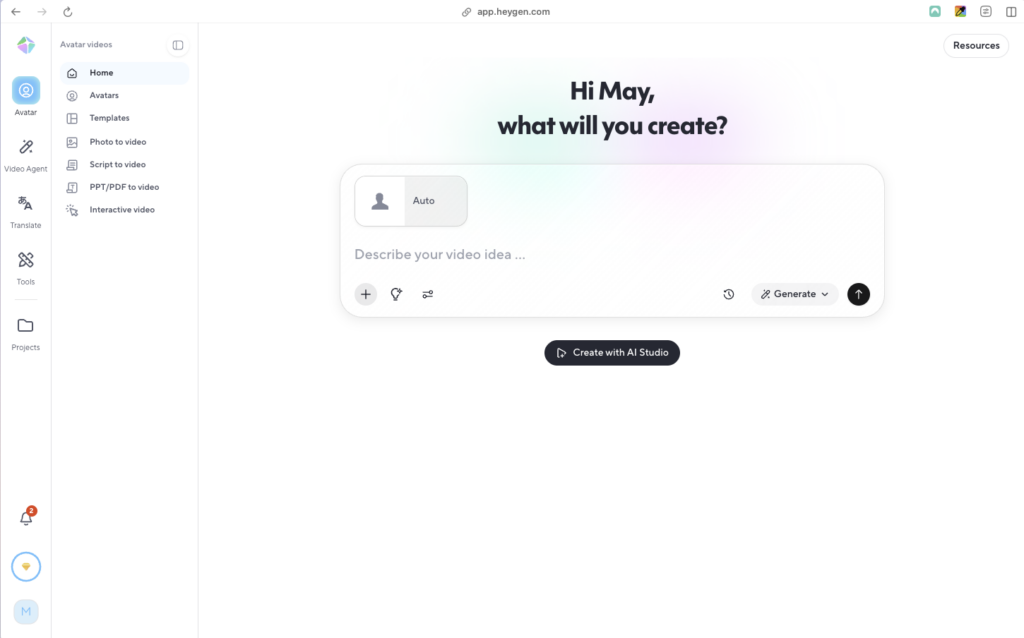
HeyGen hits the sweet spot between ease of use and quality for AI avatar video content. You simply upload a script, choose an avatar, and you’ll have a lip-synced, pro-level video in minutes. It supports 175+ languages and the avatar realism is very high, if a bit slow.
Where HeyGen falls a bit short is video editing. It’s a great tool for generating avatar-led video fast, but it’s less suited for complex productions that involve real footage, multiple scene types, or deep brand control.
Best for: Marketing and sales teams that need a steady stream of avatar-driven videos for campaigns, demos, and outreach.
HeyGen Pricing: Free plan available. Creator tier is $29/month, Pro is $99/month.
Descript – Best AI Video Editor for Talk-Based Content

Descript introduces a new way to edit videos. Instead of working on a timeline with a million video clips and audio tracks, you edit by modifying the transcript. If you delete a word, the corresponding video and audio are deleted as well. It’s a unique approach to an old problem that works well with editing content like interviews, presentations, webinars, and podcasts. It can also handle filler word removal, noise cleanup, and screen recording.
However, Descript isn’t a generative video tool like many others on this list are. You won’t be constantly generating AI video clips with Veo 3.1 in the program and then stitching them together. However, that doesn’t mean it’s not useful. It shines when you’re working with real recordings, which I don’t have to tell you is a massive use case.
Best for: Content creators, marketers, and teams who edit a lot of recorded video and want a faster, smarter workflow.
Descript Pricing: Free plan available. Hobbyist is $24/month, Creator is $35/month, Business is $65/month, Enterprise is custom.
VEED.io – Best AI Video Generator for Quick, Browser-Based Creation
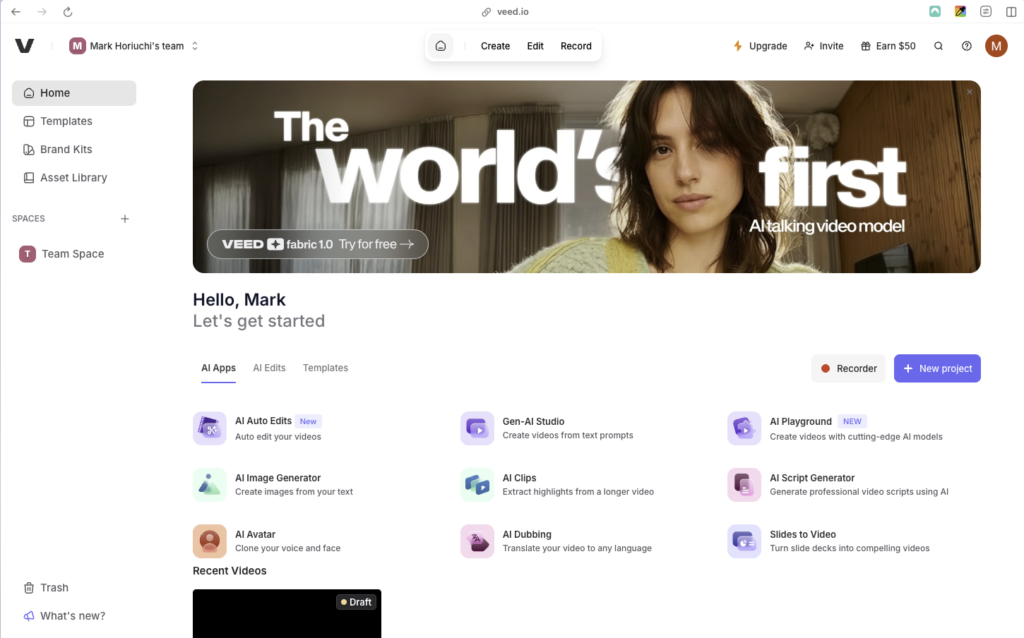
VEED is one of the simplest, most accessible AI video generator tools out there. You can just fire it up in your browser and get to creating. It handles AI avatar generation, auto-captioning, translation, background removal, eye-contact correction, and works as a clean general-purpose editor.
That said, VEED has real limitations at the professional and enterprise level. Its AI avatars aren’t as realistic as Synthesia’s or HeyGen’s, and users have flagged performance issues when working with longer videos or heavier projects. Its Business tier does add team collaboration and brand controls, but the platform isn’t designed with that use case primarily in mind. It’s more of a consumer tool, and if that’s what you need, then it could be right for you.
Best for: Solo creators, small marketing teams, and non-technical users who need fast, polished video output without much setup.
VEED Pricing: Free plan available (with watermark). The Lite plan is $24/month, pro is $55/month, and Enterprise is custom.
Pictory – Best AI Video Generator for Creating from Existing Content
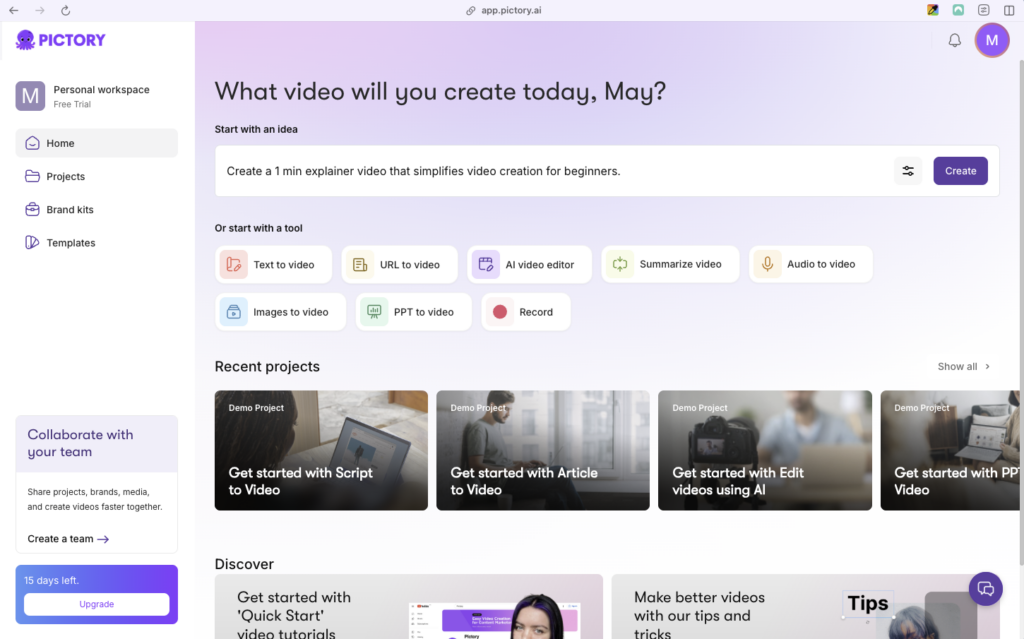
Pictory’s main strength is turning whatever you already have into video. The platform can turn blog posts, scripts, slide decks, podcasts, Zoom calls, URL, images, and more into a complete, polished video. It also integrates ElevenLabs voices for high-quality AI narration in 29+ languages, and its auto-caption feature makes sure that content is accessible to everyone.
The trade-off is that Pictory has streamlined this model so much that it doesn’t give you the same kind of creative control or enterprise features that some of these other platforms boast. Yes, it’s useful that it’s optimized for speed and efficiency. That could mean it’s the tool for you, but you may need something that gives you more control.
Best for: Content marketers and bloggers who want to turn articles, transcripts, and webinars into short-form video without manual editing.
Pictory Pricing: Free tier available. The Starter plan is $29/month, Professional is $59/month, Team is $199/month, Enterprise is custom.
InVideo AI – Best AI Video Generator for High-Volume Creation
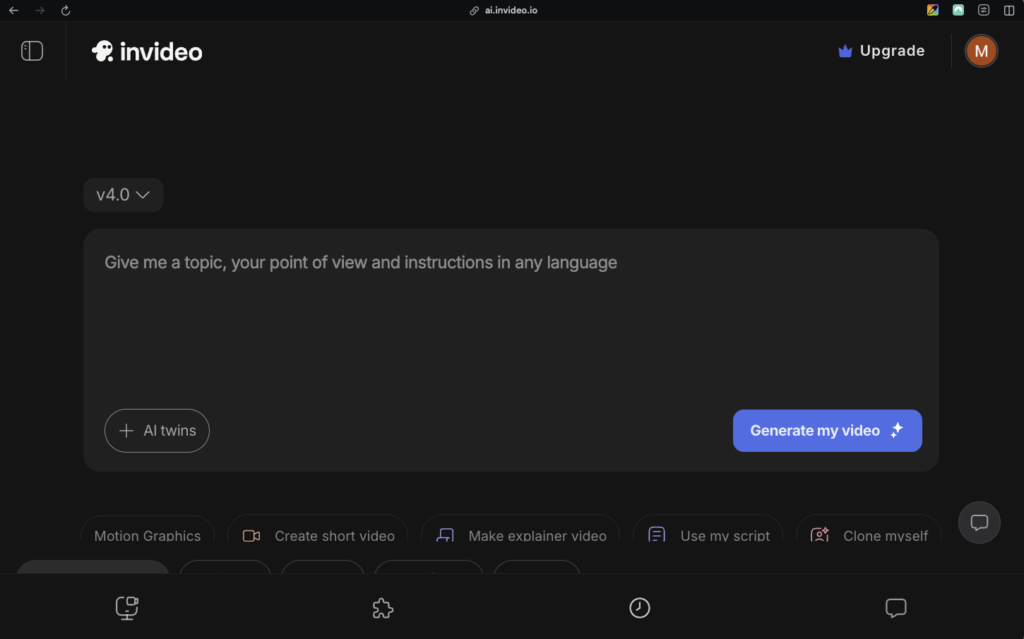
InVideo is a powerful platform that can handle the entire video production platform from a single prompt: script generation, visual selection from a large library of assets, voiceovers in 50+ languages, background music selection, and editing. InVideo also gives you access to Sora and Veo 3.1, both powerful tools for AI video clip generation.
The tradeoff is creative consistency. InVideo is built more for scalability, not artistry. Created videos can sometimes feel generic and in need of refinement. That can be a good starting point, but not necessarily a finished product. However, for teams generating video content at volume, this is a solid choice.
Best for: Social media managers and small marketing teams who need high-volume, short-form video content with minimal production time.
InVideo Pricing: Free plan available. The Plus plan is $35/month, Max is $60/month, Generative is $120/month, Team is $120/month, and Enterprise is custom.
Runway – Best AI Video Generator for Creative and Cinematic Work

Runway is the go-to tool for users who want to push the limits of AI-generated video. If you need cinematic camera controls, expressive motion, and advanced features like multi-motion brushes (which let you animate specific regions of a frame), multi-shot generation, and AI model training for brand-consistent style, this is the tool for you. You can unleash your creativity with this platform.
However, Runway isn’t an enterprise video production platform in the traditional sense. It’s more like a creative studio for designers, filmmakers, and visually ambitious marketers who want precise control over how AI-generated content looks and moves. The learning curve is steeper than most other tools here, but you can get good results out of it.
Best for: Creative teams, designers, and filmmakers who want cinematic AI-generated video with advanced directorial control.
Runway Pricing: Free plan available. The Standard plan is $15/month, Pro is $35/month, Unlimited is $95/month, and Enterprise is custom.
How to Choose
The right AI video generator depends on what kind of video work you’re doing:
| Business need | Best fit | Why |
|---|---|---|
| End-to-end business video production | Visla | Combines creation, recording, editing, branding, collaboration, and publishing |
| Corporate training with AI presenters | Synthesia | Mature avatar workflow and multilingual support |
| Marketing and sales avatar videos | HeyGen | Fast talking-head creation with strong lip-sync |
| Editing podcasts, webinars, and interviews | Descript | Transcript-based editing |
| Repurposing articles and webinars | Pictory | Streamlined content-to-video workflow |
| High-volume short-form video | InVideo AI | Fast prompt-to-video creation |
| Cinematic generative video | Runway | More advanced creative controls |
FAQ
An AI video generator helps you create videos from prompts, scripts, articles, recordings, and other source materials. Depending on the platform, it can handle visuals, voiceovers, subtitles, music, editing, and more.
The best option depends on your workflow. Visla is built for end-to-end business video production, while tools such as Synthesia, HeyGen, Descript, Pictory, and Runway are better suited to more specialized use cases.
Many AI video generators offer a free plan or trial. Entry-level paid plans generally start between $9 and $25 per month with annual billing, while business and enterprise plans cost more.
No. Most AI video generators can create a first draft automatically from a prompt, script, document, or recording. You can then refine the video with simple editing tools.
An AI video model generates individual clips. An AI video platform helps you turn clips and other source materials into finished videos with editing, branding, collaboration, and publishing tools.
Usually, but the rules vary by platform, plan, and source material. Review the provider’s terms before publishing, especially when using AI-generated faces, cloned voices, stock media, or third-party models.

May Horiuchi
May is a Content Specialist and AI Expert for Visla. She is an in-house expert on anything Visla and loves testing out different AI tools to figure out which ones are actually helpful and useful for content creators, businesses, and organizations.