
Discovery calls
A rep asks follow-up questions about the buyer’s current process, constraints, and purchasing criteria.


Visla’s Scenario-Based Video turns a prompt or existing sales script into AI buyer-seller role-play videos showing discovery calls, pricing objections, and competitor comparisons.
Get Started for FreeA rep asks follow-up questions about the buyer’s current process, constraints, and purchasing criteria.
After hearing “too expensive,” a rep asks what drives the objection before offering a concession.
A rep explains what the quoted price includes and checks whether those features meet the buyer’s needs.
A prospect cites a cheaper competitor; the seller checks which capabilities and contract terms the buyer is comparing.
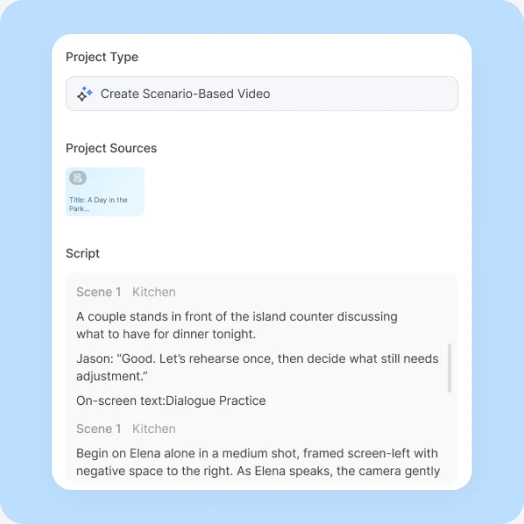
Start with a prompt or speaker-labeled script; select Script to preserve approved dialogue, or add webpages, PDFs, and uploads as supporting material.
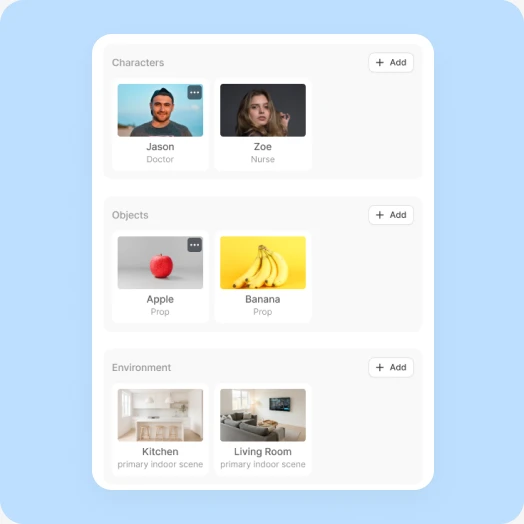
Review the dialogue, each character’s appearance and voice, recurring objects, and environment, plus a shared reference image that keeps the characters and setting consistent.
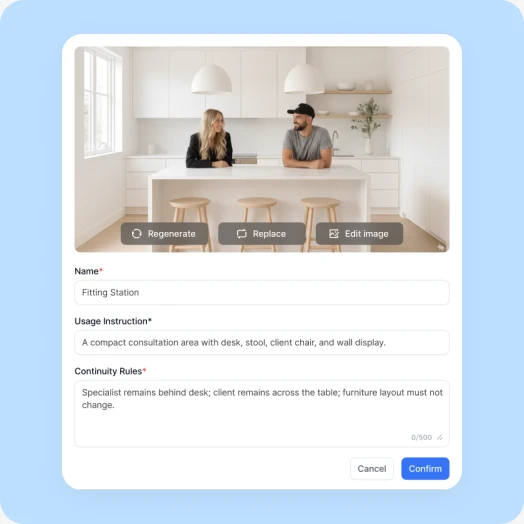
Check each storyboard image for the correct characters, framing, and actions, then choose which scenes to generate as AI video clips.
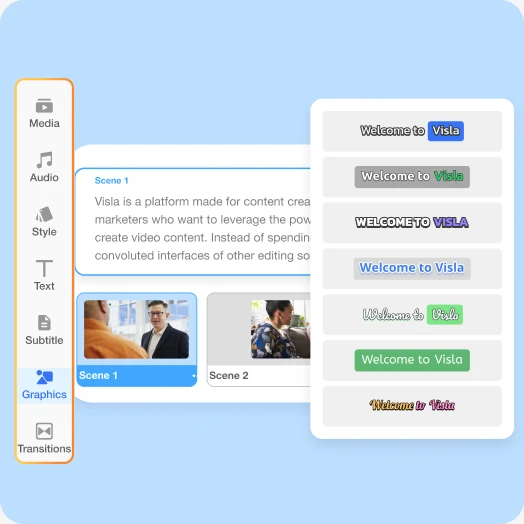
Use Visla’s Scene-Based Editor to adjust dialogue, scene order, timing, and graphics or regenerate individual clips, then export the finished video.
Create a sales training conversation in which a prospect says a competitor is cheaper. The rep asks which capabilities matter, checks what is included, and proposes a follow-up instead of immediately discounting. Learning objective: investigate a pricing objection before responding. Do not invent product claims; keep both characters consistent.
Yes. Select Script to retain your existing buyer-seller dialogue, then have sales enablement review discovery questions, pricing statements, and competitor claims before publishing.
No. Scenario-Based Video produces examples of buyer-seller conversations, not a live conversational coach; interactive practice requires a separate tool.
Yes. Generate alternative buyer-seller scenes for comparison; add clickable choices or scored responses using a separate authoring tool.


